Category: Trending

  • Points, miles and Lie-flat smiles: How to fly business class for less

    Points, miles and Lie-flat smiles: How to fly business class for less

    A business-class ticket may appear on the airline’s website for €2,800.

    The same seat may also be available for:

    85,000 miles
    + airport taxes
    + airline charges

    Or it may become available through an upgrade from a paid Economy ticket.

    Or through a monthly award promotion.

    Or as a last-minute upgrade offer after check-in opens.

    The passenger in seat 4A and the passenger in seat 4B may therefore receive almost the same bed, meal, lounge access and priority treatment while paying completely different amounts.

    That is the central idea behind points and miles:

    Business Class has more than one price.

    The objective is not simply to collect as many miles as possible. It is to understand which type of ticket you are buying, what your miles are replacing and whether the redemption is genuinely better than paying cash.

    This guide explains how that system works, with particular attention to Turkish Airlines Miles&Smiles and practical options available to travellers in Europe and the Balkans.

    First, understand the four currencies

    A frequent-flyer account may display several balances, but they do not all perform the same function.

    The four currencies that matter are:

    1. Redeemable miles
    2. Status miles or status points
    3. Cash
    4. Flexibility

    Redeemable miles can normally be used for award flights, upgrades or other rewards.

    Status miles or status points usually determine whether you receive benefits such as lounge access, priority check-in, additional baggage and elite status. They are generally not a spendable currency.

    In Turkish Airlines Miles&Smiles, ordinary Miles can be redeemed for tickets, upgrades, Cash&Miles and other services. Status Miles are used to reach or maintain Classic Plus, Elite and Elite Plus status and cannot be spent on an award ticket. Ordinary Miles are generally valid for three years.

    Flexibility is also a currency.

    A passenger who can:

    • travel one day earlier
    • return from another airport
    • accept one connection
    • book one passenger instead of four
    • travel outside school holidays

    has a much better chance of finding a low-mileage Business Class seat.

    Points cannot create award availability that does not exist.

    The business-class price equation

    Before using miles, record four numbers:

    Comparable cash ticket
    – cash charges on the award
    = value replaced by miles

    Then divide that amount by the miles required:

    Value per mile =
    (cash fare – award taxes and charges) ÷ miles used

    Consider an illustrative example:

    Comparable Business Class fare: €2,350
    Award price: 85,000 miles + €310
    Cash value replaced: €2,040

    Calculation:

    €2,040 ÷ 85,000 = €0.024

    The redemption produces approximately:

    2.4 euro cents per mile

    That can represent strong value.

    Now consider a different use:

    Cash Economy ticket: €260
    Cash&Miles discount: €45
    Miles required: 9,000

    Calculation:

    €45 ÷ 9,000 = €0.005

    That is only:

    0.5 euro cents per mile

    Both transactions reduce the amount paid today.

    But they do not produce equal value.

    The five routes into Business Class

    There are five common ways to reach the front cabin without paying the original Business Class fare.

    MethodWhat you buyMain advantageMain risk
    Award ticketBusiness seat with milesOften the highest valueLimited availability
    Partner awardAnother airline through an allianceMore routes and productsComplex search and fees
    Mileage upgradeEconomy or Premium ticket plus milesRetain a paid ticketFare may not be eligible
    Cash upgradeFixed offer or upgrade bidNo large mileage balance neededPrice and availability uncertain
    Cash and milesPart cash, part milesEasy use of a small balanceFrequently weaker redemption value

    The cheapest method varies by flight.

    The mistake is choosing the method before checking all available prices.

    Miles&Smiles: the important distinction between promotional and regular awards

    Turkish Airlines divides its own award tickets into two broad categories:

    Promotion Award Ticket
    Award Ticket

    Promotion awards use fewer miles, but only a defined allocation of seats is available.

    Regular awards require more miles, but Turkish Airlines states that they can be issued as long as a seat is available for sale on the flight, subject to the program’s rules and restrictions.

    That difference can be enormous.

    For a one-way Turkish Airlines journey between Türkiye and North America, the published table lists:

    Ticket typeEconomyBusiness
    Promotion award40,000 miles65,000 miles
    Regular award55,000 miles135,000 miles

    The regular Business Class award costs more than twice as many miles as the promotional seat.

    The correct question is therefore not:

    Does Turkish Airlines have Business Class seats?

    It is:

    Does Turkish Airlines have a Business Class seat available in the lower award category?

    The aircraft may show several empty Business Class seats for sale, while the lower promotional award category shows none.

    Cash availability and award availability are not the same inventory.

    A useful Miles&Smiles example for Balkan travellers

    Miles&Smiles classifies North Macedonia, Albania, Serbia, Croatia, Greece, Bulgaria, Bosnia and several neighbouring markets as Europe 1.

    On its Star Alliance award table, a one-way Business Class journey between Europe 1 and North America is listed at 85,000 miles. The same chart lists 50,000 miles in Economy.

    That creates a potential comparison such as:

    Business cash fare: €2,400
    Business award: 85,000 miles + €320
    Economy cash fare: €650

    A traveller with 85,000 miles should not automatically compare the award against the €650 Economy ticket.

    The correct comparison depends on what the traveller would realistically have bought.

    Comparison A: You would otherwise buy Business Class

    €2,400 – €320 = €2,080 value replaced
    
    €2,080 ÷ 85,000 = 2.45 cents per mile

    Comparison B: You would otherwise buy Economy

    The points may still create an excellent experience, but describing them as a €2,080 saving would be misleading if you were never prepared to spend €2,400.

    Your real personal cost comparison is:

    Economy alternative: €650
    Award cash charges: €320
    Additional cash saved: €330
    Miles used: 85,000

    The miles bought comfort, sleep, lounge access and a premium experience.

    They did not necessarily save €2,080 from your actual travel budget.

    That distinction prevents points collectors from exaggerating their savings.

    Why an award ticket is often better than an upgrade

    Many beginners assume the cheapest strategy is:

    Buy the cheapest Economy ticket
    + use miles to upgrade

    That often fails.

    Mileage upgrades may only be permitted from specific, usually more expensive, booking classes.

    For Star Alliance upgrades through Miles&Smiles, Turkish Airlines states that only certain fare classes qualify. On Turkish Airlines flights, its published table identifies Economy classes Y and B as eligible for an Economy-to-Business Star Alliance upgrade.

    A deeply discounted Economy ticket may be booked in a class such as:

    L
    V
    W
    P
    U

    depending on the airline and route.

    The ticket may be perfectly valid for travel but completely ineligible for a mileage upgrade.

    The traveller then discovers that:

    Cheap Economy ticket: €520
    Eligible flexible Economy ticket: €1,480
    Business award ticket: 85,000 miles + €320
    Business cash ticket: €2,300

    Buying the expensive Economy fare only to upgrade it may require:

    €1,480
    + upgrade miles
    + upgrade availability

    A direct Business Class award could be the more rational option.

    Always confirm the booking class before purchasing a ticket intended for an upgrade.

    Turkish Airlines mileage upgrades are not one universal price

    The published Miles&Smiles upgrade table lists different requirements by region.

    For Turkish Airlines-operated travel from Türkiye, examples include:

    Destination regionEconomy to Business
    Europe 120,000 miles
    Europe 225,000 miles
    Middle East28,000 miles
    Far East65,000 miles
    North America, 72+ hours before departure65,000 miles
    North America, within 72 hours90,000 miles

    The figures apply one way, and the upgrade is subject to eligibility and availability.

    This leads to an important calculation.

    Suppose you have two options:

    Option 1 — Business award

    65,000 miles + €300

    Option 2 — paid Economy plus mileage upgrade

    Eligible Economy fare: €1,250
    Upgrade: 65,000 miles

    The upgrade uses the same number of miles while requiring an additional €950 in cash.

    The paid ticket may provide greater flexibility or mileage earning, but it is not automatically the cheaper option.

    Search the direct Business award before buying an upgradeable Economy fare.

    Cash&Miles: useful, but measure the conversion

    Turkish Airlines Cash&Miles allows members to purchase a normal paid ticket using a mixture of miles and a bank card.

    Up to 50% of the ticket price excluding taxes can be covered with miles. Cash&Miles tickets remain subject to the normal fare rules, and the passenger can still earn miles according to the purchased ticket. The method is limited to eligible Turkish Airlines bookings made through its website or app and does not apply to codeshare or partner flights.

    This can be useful when:

    • you do not have enough miles for an award
    • no award seat is available
    • your miles are approaching expiry
    • the cash discount is valuable to your immediate budget
    • you still want the normal paid-ticket conditions

    But always calculate the value offered.

    Example:

    Ticket price excluding taxes: €800
    Miles requested: 40,000
    Cash discount: €200

    Value per mile:

    €200 ÷ 40,000 = €0.005

    That equals 0.5 cents per mile.

    Another redemption may offer:

    €1,700 of Business Class value
    ÷ 65,000 miles
    = 2.6 cents per mile

    Cash&Miles is convenient.

    Convenience and maximum value are not always the same objective.

    Tax&Smiles can reduce the cash bill

    Award tickets are not normally free.

    Taxes, airport charges and other statutory costs may still be payable. Turkish Airlines also states that additional charges can arise when Miles&Smiles award tickets are issued.

    Tax&Smiles allows members to use miles toward taxes on eligible Turkish Airlines award tickets. It is available to Miles&Smiles members but is limited to Turkish Airlines-operated flights.

    Before selecting it, calculate the conversion rate.

    Example:

    Taxes payable: €280
    Tax&Smiles price: 35,000 miles

    Value:

    €280 ÷ 35,000 = €0.008

    That is 0.8 cents per mile.

    Paying the €280 in cash and retaining the miles for a future Business Class award may produce greater value.

    Tax&Smiles is most attractive when preserving cash is more important than maximizing theoretical mileage value.

    The partner-airline advantage

    One frequent-flyer program can often book flights operated by many airlines.

    Miles&Smiles can be redeemed for Turkish Airlines, Star Alliance members and certain other partners. Turkish Airlines also permits one-way partner awards, subject to award space and program restrictions.

    This matters because the best Business Class product may be operated by an airline other than the program whose miles you hold.

    For example, Star Alliance includes airlines whose flights may be searchable through Miles&Smiles. The exact operating airline, eligible routing and award space determine whether a booking is possible.

    The smart sequence is:

    1. Search the route
    2. Identify the operating airline
    3. Find Business award space
    4. Confirm the mileage price
    5. Confirm taxes and surcharges
    6. Only then transfer or purchase points

    Do not transfer a large points balance based solely on the belief that an airline flies the route.

    The flight may exist while the award seat does not.

    Other programs worth monitoring

    Miles&Smiles is not automatically the best program for every route.

    Flying Blue

    Flying Blue, the program used by Air France and KLM, publishes new Promo Rewards on the first day of each month. These can reduce the usual mileage requirement by up to 25%, subject to availability and the listed destinations. Mileage prices otherwise vary according to destination and travel dates.

    Flying Blue can be attractive when:

    • you can connect through Amsterdam or Paris
    • your destination appears in Promo Rewards
    • your dates are flexible
    • you need a one-way ticket
    • you can compare several departure cities

    The risk is waiting too long for the perfect low price while the available seats disappear.

    Miles & More

    Miles & More offers monthly mileage bargains with savings of up to 50% on selected airlines and routes, including Business Class.

    However, these discounted awards generally have limited availability, taxes and surcharges are charged separately, and mileage-bargain tickets cannot be rebooked or cancelled. They usually require an outbound and return journey on the same airline.

    This can provide excellent mileage value for a traveller with fixed plans.

    It is much less attractive for someone whose travel dates may change.

    Avios

    British Airways permits Avios redemptions on British Airways, Iberia, American Airlines and other oneworld partners.

    For British Airways flights to or from Heathrow and Gatwick, the airline states that it releases at least four Business Class reward seats per flight. Avios part payment can also reduce the cash price using as little as 1,000 Avios.

    The principal caution is the cash component.

    A low Avios requirement can still be paired with substantial taxes, fees and carrier charges. Always compare the total cash-and-points cost rather than the points number alone.

    Quick comparison

    ProgramUseful featureMajor caution
    Miles&SmilesRegional award tables and Star Alliance accessPromo seats are limited; miles generally expire after three years
    Flying BlueMonthly Promo Rewards up to 25% offDynamic mileage pricing
    Miles & MoreMileage bargains up to 50% offTaxes extra and discounted awards may be non-refundable
    AviosGuaranteed minimum BA reward inventory on key London routesCash charges can materially affect value

    The best program is the one that offers an available seat on the route you actually need.

    A theoretically valuable program with no usable award space has zero practical value for that trip.

    Cash upgrade offers can beat miles

    Some airlines sell upgrades after the original ticket has been purchased.

    Lufthansa, for example, allows eligible passengers to submit an upgrade bid. A passenger chooses the amount they are willing to pay, and Lufthansa later confirms whether the offer has been accepted. Eligibility is shown inside the booking, and acceptance is not guaranteed.

    KLM also sells eligible last-minute upgrades to Premium Comfort or Business Class, including during online check-in. Availability depends on the flight and remaining seats.

    A rational upgrade comparison might look like this:

    Original Economy ticket: €540
    Cash upgrade offer: €620
    Total: €1,160

    Compared with:

    Business Class cash fare: €2,400

    The €620 upgrade may be attractive.

    But compare it with an award:

    Business award: 65,000 miles + €300

    Your choice depends on the value you place on the miles and the cash you have available.

    Do not confuse European Business Class with long-haul Business Class

    Before spending miles, examine the actual product.

    A Business Class ticket can describe very different experiences:

    Short-haul aircraft:
    Standard seat
    Blocked middle seat
    Priority services
    Meal
    Lounge access
    
    Long-haul aircraft:
    Wide seat or suite
    Fully flat or angled bed
    Direct aisle access on some aircraft
    Larger entertainment screen
    Multi-course meal

    Check:

    • operating airline
    • aircraft type
    • seat map
    • whether the long segment is actually in Business
    • whether any connection is in Economy
    • lounge access rules
    • baggage allowance

    Do not redeem 85,000 miles based only on the word “Business.”

    The flight duration and seat product determine much of the real value.

    Mixed-cabin awards require special attention

    A search result may display:

    Business Class

    But the itinerary may contain:

    Skopje → Istanbul: Economy
    Istanbul → New York: Business

    That can still be a good redemption because the long sector is in Business.

    A less attractive result might be:

    Skopje → Istanbul: Business
    Istanbul → New York: Economy

    The itinerary carries a Business label, but the most important eight- or ten-hour flight remains in Economy.

    Open every segment before paying.

    Also verify whether the program charges the full Business mileage price when only part of the itinerary is in the premium cabin. Miles&Smiles states that certain mixed-cabin one-way awards can be priced according to the higher cabin.

    Miles have an expiry date and rules can change

    Miles are not a savings account.

    Miles&Smiles states that its ordinary Miles are valid for three years. The program also announced that its feature for reactivating miles that had already expired was discontinued from January 1, 2026, while an extension option for miles approaching expiry remained available.

    Award charts, partner relationships and mileage requirements can also change.

    The strategy should therefore be:

    Earn with a realistic trip in mind
    Search regularly
    Redeem when a strong opportunity appears
    Do not hoard indefinitely

    A balance of 200,000 miles feels impressive.

    Two confirmed Business Class tickets are more useful.

    The seven most expensive mileage mistakes

    1. Transferring before finding a seat

    Search first. Transfer second.

    2. Buying miles because they are “on sale”

    A discount does not guarantee a profitable redemption.

    Calculate:

    Cost of purchased miles
    + award taxes
    + booking fees

    Then compare the total with the cash fare.

    3. Comparing an award with a fare you would never buy

    A €5,000 retail price does not mean you personally saved €5,000.

    4. Ignoring surcharges

    An award requiring 60,000 miles plus €700 may be less attractive than another requiring 80,000 miles plus €120.

    5. Buying the cheapest Economy ticket before checking upgrade eligibility

    The lowest fare class may not be upgradeable.

    6. Spending miles on low-value products

    Merchandise, small cash discounts and part payments may produce lower value than premium-cabin awards.

    7. Booking the cabin instead of the seat

    Check the actual aircraft and the longest segment.

    The Fintayo Business Class search system

    Use this process before spending any points.

    Step 1: Record the cash prices

    Economy:
    Premium Economy:
    Business:

    Step 2: Search one-way journeys separately

    Sometimes the cheapest strategy is:

    Outbound: Miles&Smiles
    Return: Flying Blue

    or:

    Outbound: Business award
    Return: paid Economy

    Step 3: Test nearby airports

    Search:

    Departure airport
    Nearby regional airports
    Destination airport
    Alternative destination airports

    Add ground transport before declaring an option cheaper.

    Step 4: Search several programs

    Check programs connected to the airlines operating the route.

    Step 5: Record the full award cost

    Miles:
    Taxes:
    Carrier charges:
    Booking fee:
    Change fee:
    Cancellation fee:

    Step 6: Verify every segment

    Aircraft:
    Cabin:
    Seat type:
    Operating airline:
    Connection duration:

    Step 7: Calculate value per mile

    Comparable cash fare
    – award cash payment
    ÷ miles required

    Step 8: Consider your real alternative

    Would you otherwise buy:

    Business
    Premium Economy
    Economy
    Or not travel?

    Step 9: Confirm cancellation conditions

    Miles&Smiles currently publishes an international award change or refund transaction charge of USD 70, with higher charges applying after a no-show. Rules can change, so check them again before ticketing.

    Step 10: Transfer only when ready to book

    Confirm:

    Seat available
    Passenger name correct
    Miles price confirmed
    Cash charges accepted
    Travel documents valid

    Then complete the transfer or redemption.

    Copy-and-paste comparison sheet

    ROUTE:
    [Origin] → [Destination]
    
    TRAVEL DATES:
    [Dates]
    
    PASSENGERS:
    [Number]
    
    ================================
    CASH OPTIONS
    ================================
    
    Economy:
    Premium Economy:
    Business:
    
    ================================
    AWARD OPTION 1
    ================================
    
    Program:
    Operating airline:
    Cabin:
    Miles:
    Taxes and fees:
    Total cash payment:
    Change fee:
    Cancellation fee:
    Seat type:
    Award availability confirmed:
    Value per mile:
    
    ================================
    AWARD OPTION 2
    ================================
    
    Program:
    Operating airline:
    Cabin:
    Miles:
    Taxes and fees:
    Total cash payment:
    Change fee:
    Cancellation fee:
    Seat type:
    Award availability confirmed:
    Value per mile:
    
    ================================
    UPGRADE OPTION
    ================================
    
    Original ticket price:
    Fare class:
    Upgrade eligibility confirmed:
    Miles required:
    Cash upgrade price:
    Upgrade availability:
    Total final cost:
    
    ================================
    FINAL DECISION
    ================================
    
    Best cash option:
    Best award option:
    Best upgrade option:
    Miles balance after booking:
    Reason for selection:

    The Fintayo takeaway

    Flying Business Class for less is not based on one secret website or one magical credit card.

    It is a sequence:

    Find the seat
    Identify the program
    Check the real cash charges
    Calculate the value
    Confirm the cabin
    Only then spend the miles

    Miles&Smiles can provide valuable Business Class awards, particularly when the lower promotional category is available. Flying Blue can reduce mileage prices through monthly promotions. Miles & More can offer deep mileage discounts, while Avios can provide predictable access to British Airways reward inventory.

    But no program wins every search.

    The smartest traveller does not remain loyal to a logo.

    The smartest traveller remains loyal to the calculation.

    Because a Business Class seat does not have one price.

    It has the price paid by the passenger who stopped searching-and the price paid by the passenger who understood the system.

  • Why tuesday is not always the cheapest day to book flights

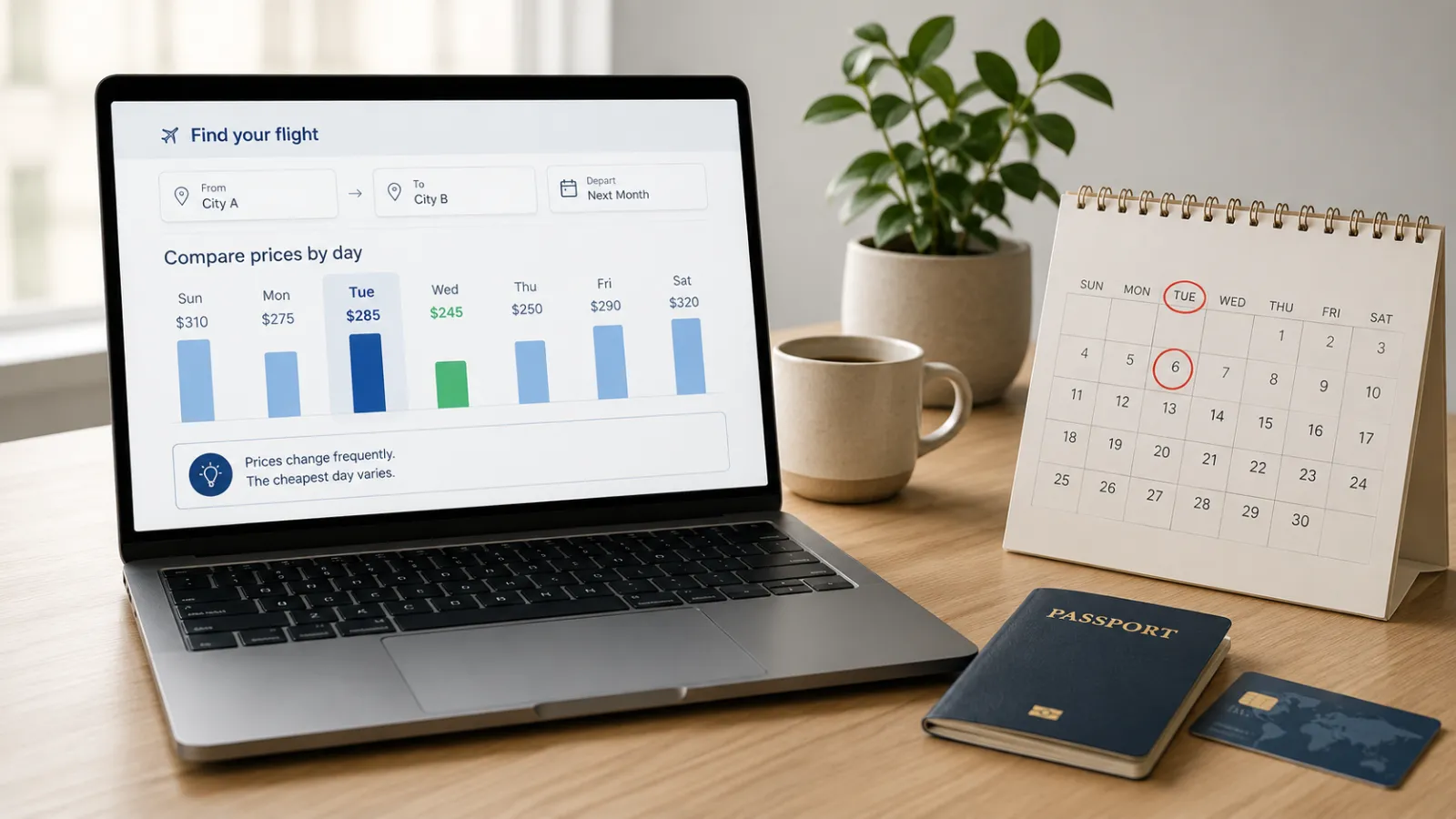
    Why tuesday is not always the cheapest day to book flights

    You find a flight for €219 on Sunday evening.

    It fits your schedule, the departure time is reasonable and the price is within your budget. But instead of booking, you remember a piece of travel advice repeated across social media:

    Never buy a flight on Sunday. Wait until Tuesday.

    So you wait.

    Tuesday arrives. The same flight now costs €267.

    The problem was not that you searched incorrectly. The problem was that you followed a rule that sounds precise but is far less reliable than it appears.

    Tuesday can sometimes be a cheaper booking day. But it is not a universal airfare shortcut, and waiting for a particular weekday can cost more than it saves.

    The Tuesday rule is based on an average, not your flight

    When travel companies analyse millions of bookings, they may find that tickets purchased on one weekday were slightly cheaper on average.

    That does not mean every flight becomes cheaper on that day.

    Google’s 2025 analysis of four years of aggregated Google Flights data found that Tuesday had historically been the cheapest day to book for trips departing from US airports. However, the difference between Tuesday and Sunday—the most expensive booking day in that dataset—was only 1.3%.

    On a €250 ticket, 1.3% is:

    €250 × 1.3% = €3.25

    That possible saving is smaller than a routine fare increase of €20, €40 or €80 while you wait.

    More importantly, another large dataset produced a different answer. Expedia’s 2026 US Air Hacks Report identified Friday as the cheapest overall day to book, although the average difference from Sunday was only 3%. For domestic US tickets in that report, Saturday was the cheapest booking day.

    Different markets produced different results again. Expedia’s 2026 Australian report identified Thursday as the cheapest booking day in its local dataset.

    The correct conclusion is not that Tuesday, Friday, Thursday or Saturday always wins.

    The correct conclusion is:

    There is no single cheapest booking day that applies to every route, country, airline and travel period.

    Why major reports give different answers

    The reports are not necessarily contradicting each other. They are measuring different things.

    Google’s 2025 findings were based on round-trip fares observed through Google Flights for trips departing from thousands of US markets between January 2021 and August 2025. Expedia’s 2026 US figures were based on bookings made through Expedia during a different 12-month period.

    The results can change because of:

    • the country of departure
    • domestic versus international travel
    • the routes included
    • the period being analysed
    • airline capacity and demand
    • the platform through which the booking was made
    • economy, premium or business-class fares
    • how far in advance passengers booked

    A general statistic may describe millions of historical bookings accurately while still being useless for the exact flight you need next month.

    Your route does not know that the calendar says Tuesday.

    It responds to available seats, demand, competition, departure dates and airline pricing decisions.

    Booking day and travel day are not the same thing

    This distinction causes much of the confusion.

    The booking day is the weekday on which you buy the ticket.

    The travel day is the weekday on which the aircraft departs.

    Changing the day you fly can create much larger savings than changing the day you click “Buy.”

    Google’s 2025 US-market analysis found that flights departing on Monday, Tuesday or Wednesday were approximately 13% cheaper on average than weekend departures. Flights with a layover were around 22% cheaper than nonstop options in the same dataset.

    That does not mean Wednesday will always be cheaper for a European route or that every connection is worth taking. It shows that adjusting the itinerary can have more impact than waiting for a supposedly magical booking weekday.

    Compare the possible effect:

    ChangeIllustrative effect
    Waiting for TuesdayPerhaps a few euros
    Flying one day earlierPotentially tens of euros
    Using another airportPotentially tens or hundreds
    Accepting one stopLower fare, but longer journey
    Removing checked luggageLower total trip cost
    Booking before seats sellAvoiding a major fare increase

    The greatest saving often comes from changing what you book, not when during the week you book it.

    A cheap headline price may not be the cheapest trip

    Suppose you find these two options:

    Flight A — €145

    Small personal item only
    No seat selection
    Distant airport
    Airport transfer: €35
    Carry-on bag: €42

    Flight B — €194

    Cabin bag included
    Main airport
    No additional airport transfer

    The first result appears €49 cheaper.

    After adding the bag and transport:

    €145 + €42 + €35 = €222

    Flight B is actually €28 cheaper.

    Google Flights provides a baggage filter that can include estimated carry-on or checked-bag fees when comparing results. Google notes that displayed baggage information comes from travel partners and may still be subject to additional charges or taxes.

    The weekday myth distracts travellers from costs that are much easier to identify and control.

    Always compare the total journey cost:

    Ticket
    + baggage
    + seat selection
    + payment fees
    + airport transport
    + overnight accommodation
    + food during long connections

    A €20 saving is not a saving if it creates €45 in additional costs.

    Use route-specific information instead of a universal rule

    The most useful airfare data is not “Tuesday is cheap.”

    It is:

    Skopje → Rome
    October 8–12
    Cabin bag included
    Maximum one stop

    Google Flights can display a date grid and price graph showing how fares change when departure or return dates are adjusted. Where sufficient historical data exists, it can also show a route-specific “cheapest time to book” insight.

    This is more relevant than a worldwide average because it considers the destination and travel dates you are actually researching.

    The date grid may show that:

    Thursday departure: €238
    Wednesday departure: €181
    Tuesday departure: €176

    In that case, moving the trip by one or two days matters.

    The day on which you complete the purchase may not.

    The 15-minute Fintayo flight-search method

    Instead of waiting blindly for Tuesday, use a structured search.

    Step 1: Search your fixed itinerary

    Enter the exact airports and dates you prefer.

    Record the best acceptable fare, not only the lowest fare shown.

    Best acceptable option: €228
    Departure: 09:10
    One stop
    Cabin bag included

    The lowest result may have a 14-hour connection or arrive at an airport far from the destination.

    Step 2: Check dates around your trip

    Move the departure and return dates by one to three days.

    Do not only test the day before. Sometimes returning one day later creates the largest reduction.

    Google’s date grid and price graph are specifically designed to show how small date changes affect the displayed fare.

    Step 3: Add nearby airports

    Check whether the origin or destination has practical alternatives.

    For example:

    Main airport fare: €210
    Alternative airport fare: €155
    Extra transport: €31
    Real saving: €24

    Do not calculate the saving before adding transport time and cost.

    Step 4: Compare the complete fare

    Confirm:

    Cabin baggage
    Checked baggage
    Seat selection
    Change conditions
    Cancellation conditions
    Connection protection
    Airport location

    A basic fare and a standard fare are not directly comparable when one includes services you will later purchase.

    Step 5: Turn on price tracking

    Google Flights allows price tracking for specific routes and dates, selected flights or flexible dates. Notifications can be sent when tracked prices change.

    This is more rational than manually opening the same search every Tuesday morning.

    Step 6: Establish your buying threshold

    Decide before searching endlessly.

    Example:

    Excellent price: below €180
    Acceptable price: €180–€220
    Too expensive: above €220

    When an acceptable itinerary enters the excellent range, book it.

    Do not change the threshold simply because you hope the price might fall another €8.

    When you should probably book now

    Waiting for a specific weekday becomes riskier when:

    • the trip is approaching
    • your dates cannot change
    • you need a specific departure time
    • only one airline operates the route
    • school holidays or a major event affect demand
    • several passengers must travel together
    • the current fare is already within your budget
    • the fare includes reasonable change or cancellation conditions

    Google’s guidance says booking earlier is generally safer when the itinerary is not flexible. Its route-specific insights may indicate whether the usual low-price period is still ahead or has already passed.

    A family requiring four seats has a different risk profile from a solo traveller who can fly on any date.

    The solo traveller can wait and switch flights.

    The family may discover that only two seats remain in the lower fare category.

    When waiting can make sense

    Waiting is more reasonable when:

    The trip is months away
    Your dates are flexible
    Several airlines serve the route
    You can use multiple airports
    The current price is unusually high
    Price tracking is active
    You are prepared not to travel

    The final condition matters.

    Waiting for a lower price is only a sensible strategy when you are willing to accept that the fare may rise instead.

    Otherwise, it is not a strategy.

    It is a gamble with a required purchase.

    Do not confuse historical patterns with a guarantee

    A platform may accurately report that Friday was the cheapest booking day in one recent dataset.

    That still does not guarantee that your flight will fall in price next Friday.

    Historical airfare data can help identify tendencies. It cannot control:

    • sudden demand
    • airline schedule changes
    • fare-class availability
    • route cancellations
    • fuel and operating costs
    • special events
    • competitive pricing
    • individual airline promotions

    Even the best airfare tool cannot promise that tomorrow’s price will be lower.

    The objective is not to buy at the absolute lowest price ever offered.

    The objective is to buy a suitable flight at a reasonable total cost without taking unnecessary risk.

    The copy-and-paste booking checklist

    Before purchasing, complete this block:

    ROUTE:
    [Origin] → [Destination]
    
    DATES:
    [Departure] — [Return]
    
    CURRENT PRICE:
    [Amount and currency]
    
    PRICE INCLUDES:
    [ ] Personal item
    [ ] Cabin bag
    [ ] Checked bag
    [ ] Seat
    [ ] Changes
    [ ] Refund
    
    ADDITIONAL COSTS:
    Airport transport:
    Baggage:
    Seat:
    Accommodation during connection:
    Other:
    
    TOTAL REAL COST:
    
    ALTERNATIVE DATES CHECKED:
    [Dates and prices]
    
    ALTERNATIVE AIRPORTS CHECKED:
    [Airports and transport cost]
    
    PRICE TRACKING:
    [On / Off]
    
    MY BUYING THRESHOLD:
    
    CURRENT FARE:
    [Excellent / Acceptable / Too expensive]
    
    DECISION DEADLINE:
    [Date]

    The decision deadline prevents weeks of repetitive searching.

    For example:

    Book immediately below €190.
    Book by August 10 if below €220.
    Reconsider the trip above €260.

    This is a real booking strategy.

    “Wait until Tuesday” is not.

    The Fintayo takeaway

    Tuesday is not completely meaningless. In some historical datasets, it has been marginally cheaper.

    But recent reports do not even agree on one universal winner. Google’s data placed Tuesday slightly ahead, while Expedia’s more recent US report identified Friday. Other national datasets produced different answers.

    That disagreement is the lesson.

    Do not plan a purchase around a weekday myth.

    Compare flexible dates, nearby airports, baggage costs, connection times and the complete trip price. Activate a fare alert, establish the amount you are willing to pay and book when a suitable itinerary reaches that level.

    The cheapest day to book a flight is not necessarily Tuesday.

    It is the day you find the right flight at a price you are prepared to accept.

  • eSIM vs Airport SIM: Which option is actually cheaper?

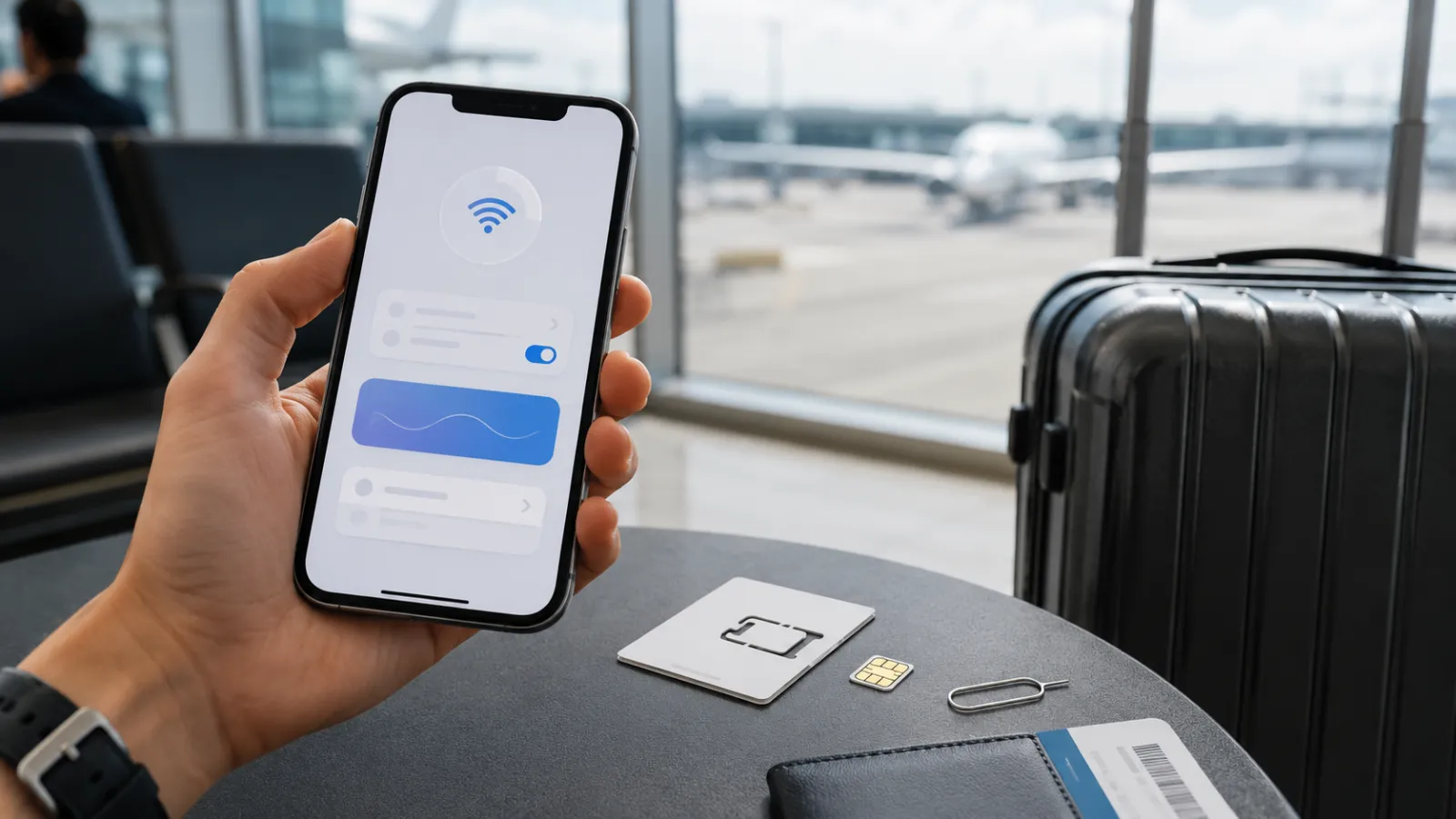
    eSIM vs Airport SIM: Which option is actually cheaper?

    The first mobile-data decision of a trip often happens at the worst possible moment.

    You have just landed, the airport Wi-Fi is unreliable, your accommodation is waiting for a message and you need directions. A kiosk offers a physical tourist SIM, while your phone displays several travel eSIM plans that can be activated immediately.

    The eSIM looks easier.

    The airport SIM may appear to offer more data.

    But neither option is automatically cheaper.

    The real comparison depends on how much data you need, whether you require a local telephone number, how many countries you will visit and whether the advertised package includes activation, taxes, calls and hotspot use.

    What we are actually comparing

    An eSIM is not a separate type of mobile network. It is a digital method of loading a mobile operator profile onto a compatible device instead of inserting a removable plastic card.

    GSMA describes eSIM as a standardized system that allows operator profiles to be downloaded remotely and lets compatible devices store multiple profiles.

    The term travel eSIM can refer to two different products:

    • an eSIM sold directly by a local mobile network
    • an international travel eSIM using partner networks in the destination.

    An airport SIM can also be sold by:

    • the official local operator
    • an authorized retailer
    • an independent airport reseller

    This creates an important distinction:

    The real comparison is not simply digital SIM versus plastic SIM. It is travel reseller versus local operator, data-only plan versus full mobile service, and convenience versus complete value.

    A local operator can sell both a physical SIM and an eSIM. Dubai operator du, for example, currently promotes a tourist eSIM that can be activated digitally after passport verification, including a free introductory 10GB allowance valid for 24 hours.

    The Fintayo comparison method

    To compare the two options fairly, do not look only at the largest data number.

    Use the same travel profile for both offers:

    Trip length: 7–14 days
    Required data: approximately 10GB
    Devices: one smartphone
    Countries visited: one or several
    Calls required: yes or no
    Hotspot required: yes or no

    Then compare:

    Cost factorTravel eSIMAirport or local SIM
    Package priceUsually shown before travelConfirmed at kiosk or operator store
    SIM or activation feeOften includedMay be separate
    Data allowanceFrequently data-onlyOften larger local package
    Local numberNot always includedCommonly included
    Calls and SMSFrequently excludedOften included
    Passport registrationUsually digital or not required by resellerOften completed at point of sale
    Installation timeBefore departure or on arrivalQueue, registration and SIM change
    Multi-country coverageCommonUsually one country
    Hotspot useDepends on providerDepends on tariff
    Top-upApp or websiteOperator app, store or voucher

    The cheapest product is the one that meets the actual requirement without making you buy missing services later.

    Current market examples

    Prices vary constantly, so these examples are a snapshot rather than a universal ranking.

    A multi-country European eSIM

    Orange Travel currently lists a Europe data-only eSIM with 10GB valid for 14 days at $22.99. It also lists a 20GB package with calls and SMS valid for 14 days at $29.99, covering more than 40 European destinations.

    For a traveler visiting several European countries, one regional eSIM can remove the need to purchase a new local package at each border.

    A local tourist SIM in Türkiye

    Turkcell’s official Tourist Welcome Pack currently provides 20GB of data and 200 local minutes, valid for 28 days, at a recommended price of 1,800 Turkish lira. The operator states that the package is available to new prepaid tourist customers through its stores.

    That package provides more than data: it also includes a local mobile line and domestic calling minutes.

    However, a traveler staying for four days and using only maps and messaging may not need a 28-day package. A lower-priced data-only eSIM could still be better value even if it contains fewer gigabytes.

    A local tourist eSIM in the UAE

    The du example shows why “eSIM versus local SIM” is sometimes the wrong question. The local operator itself offers a tourist eSIM, including a free 10GB introductory allowance valid for 24 hours, followed by optional tourist bundles.

    In that situation, the traveler can receive the convenience of an eSIM while still purchasing directly from a destination operator.

    When the travel eSIM is usually cheaper

    A travel eSIM tends to provide better overall value when:

    • the trip is short
    • you need only mobile data
    • you will visit several countries
    • you do not need a local telephone number
    • airport time is limited
    • the physical tourist package contains far more data than you will use
    • the local SIM has a separate registration or activation cost
    • you want to keep your home SIM installed

    Apple and Google both present prepaid travel eSIMs as an option for international travel. Apple notes that an unlocked compatible iPhone can use an eSIM from a local carrier or worldwide provider, while Google recommends prepaid travel eSIMs as a way to avoid conventional roaming charges on compatible Pixel devices.

    Consider a five-day city break.

    The traveler expects to use:

    • navigation
    • restaurant searches
    • messaging
    • occasional social-media uploads
    • airline and transport applications

    A smaller eSIM package may be more rational than paying for 20GB, local calls and 28 days of validity that will never be used.

    The price per gigabyte could be higher, but the total trip cost could still be lower.

    When an airport or local SIM may be the better deal

    A local SIM can offer better value when:

    • the stay is long
    • heavy data use is expected
    • the traveler needs a local telephone number
    • local calls are important
    • hotspot use is required for a laptop or family
    • the local operator offers a generous tourist bundle
    • the device does not support eSIM
    • the phone is carrier-locked
    • in-person technical assistance is valuable

    A telephone number can matter more than travelers expect.

    Accommodation hosts, restaurants, delivery services, hospitals and local transport operators may prefer an ordinary local call. Some online services also require a national number for registration or verification.

    A data-only travel eSIM usually keeps WhatsApp and similar services working with the existing account, but it does not necessarily provide a number that can receive normal local calls or SMS.

    For a month-long stay, the physical local SIM may therefore offer more complete value even when the initial purchase takes longer.

    Airport SIM does not always mean the best local price

    A SIM sold inside an airport may be convenient, but the airport counter is not automatically the cheapest place to buy the operator’s service.

    The product may be:

    • an official tourist package at the normal price
    • a package with an additional activation charge
    • a retailer bundle containing accessories or unnecessary services
    • a different offer from the one advertised on the operator’s website

    Before paying, ask for a complete breakdown:

    SIM price
    Activation or registration fee
    Data allowance
    Validity
    Calls and SMS
    Taxes
    Top-up conditions
    Hotspot restrictions

    Take a photograph of the package description and receipt.

    Do not assume that the largest sign above the kiosk represents the final amount.

    The hidden cost of an eSIM

    Travel eSIMs also have limitations that can make a cheap package poor value.

    The phone must be compatible

    Not every device supports eSIM. Compatibility can also vary by model, country of sale and carrier configuration.

    Apple currently states that international travel eSIM use generally requires an iPhone XS, XS Max, XR or later, a supporting provider and an unlocked device.

    Google states that eSIM availability on Pixel phones depends on the model and mobile carrier.

    Check this before purchasing a non-refundable package.

    The phone may be carrier-locked

    A compatible phone can still reject another operator’s eSIM when it is locked to the home carrier.

    On iPhone, the status can be checked under:

    Settings → General → About → Carrier Lock

    Apple states that an unlocked device should display “No SIM Restrictions.”

    Some plans are data-only

    A cheap eSIM may not include:

    • a telephone number
    • voice calls
    • incoming SMS
    • emergency calling through that line
    • hotspot access
    • unrestricted high-speed data

    “Unlimited” also needs careful reading. A plan can be subject to fair-use rules, speed management or daily hotspot restrictions.

    Installation requires preparation

    Most eSIMs should be installed while a reliable internet connection is available. Apple notes that Wi-Fi or a hotspot is generally required during activation, although limited exceptions exist for certain devices and regions.

    Do not wait until you are standing outside an airport without working internet.

    The hidden cost of a physical airport SIM

    A physical SIM creates costs that do not always appear in the advertised package price:

    • time spent finding the correct kiosk
    • queueing and passport registration
    • removing and storing the home SIM
    • losing access to the normal number on a single-SIM phone
    • sales pressure toward a larger package
    • language misunderstandings
    • difficulty recovering the SIM if it is lost
    • replacing it when traveling to another country

    The plastic card itself is rarely the important cost.

    The real cost is the package, registration process and loss of flexibility.

    Multi-country travel changes the answer

    For one destination, a local package can compete strongly on price and data volume.

    For a multi-country trip, the calculation changes.

    A regional eSIM can connect through partner networks across multiple destinations without requiring a new purchase at each border. Orange Travel’s current European packages, for example, cover more than 40 countries under a single plan.

    A traveler moving from Spain to France and then Italy can keep the same eSIM profile active.

    By contrast, a domestic physical SIM may or may not include affordable roaming outside its home country. Coverage, fair-use conditions and included destinations must be checked individually.

    The cheapest single-country SIM is not necessarily the cheapest solution for the entire itinerary.

    Keeping the home number active

    One of the strongest advantages of an eSIM setup is Dual SIM use.

    A compatible phone can keep:

    • the home line active for calls and verification messages;
    • the travel eSIM selected for mobile data.

    Apple supports using Dual SIM while traveling and lets users assign one line for cellular data and another for calls or messages. It also warns that using two different carriers requires an unlocked device unless both plans belong to the same carrier.

    The safe configuration is:

    SettingHome SIMTravel eSIM
    Line activeYesYes
    Mobile dataOffOn
    Data roamingOff unless coveredAs instructed by provider
    Default callsHome SIMOptional
    Automatic data switchingOffOff

    Keeping the home line active can still create charges for calls or SMS depending on the carrier. The roaming tariff must therefore be checked separately.

    The Fintayo three-part test

    Before buying either option, answer three questions.

    1. What will I actually use?

    Estimate:

    • trip duration
    • expected data
    • number of countries
    • voice-call requirements
    • hotspot usage

    Do not buy 50GB because it looks like better value when you normally use only a few gigabytes per week.

    2. What is the complete price?

    For an airport SIM:

    Package + SIM + activation + taxes

    For an eSIM:

    Package + required calls + possible top-up

    The offers must provide comparable services before their prices can be compared honestly.

    3. What happens when something goes wrong?

    Ask:

    • Is support available?
    • Can the plan be reinstalled?
    • Is the eSIM refundable before activation?
    • Can the airport kiosk replace a faulty SIM?
    • Can the account be topped up online?
    • Does the plan display real-time data usage?

    Saving five euros is not worthwhile if the connection fails when navigation or a boarding pass is needed.

    Our verdict

    For a short trip where the traveler needs only data, a travel eSIM is often the cheaper and more efficient option.

    It can be bought before departure, avoids airport queues, leaves the home SIM in place and can cover several countries under one package.

    For a longer stay, heavy data consumption or a genuine need for a local number and local calls, an official local tourist SIM can provide better total value.

    The winner is not determined by whether the SIM is physical or digital.

    It is determined by four factors:

    Total price, usable data, geographic coverage and the services actually needed.

    The airport SIM wins when the traveler needs a complete local mobile service.

    The travel eSIM wins when the traveler needs fast, flexible internet without paying for benefits that will never be used.

    Important: Prices, coverage, fair-use rules and package availability can change without notice. Verify the current offer, device compatibility and refund terms before purchasing or activating a SIM.

  • Turn off these phone settings before traveling abroad

    Turn off these phone settings before traveling abroad

    Your phone does not need to be in your hand to use mobile data.

    While it sits in your pocket, it can refresh apps, upload photographs, download updates, retrieve emails and switch from weak hotel Wi-Fi to a cellular network.

    At home, that background activity may be harmless. Abroad, particularly without an inclusive roaming package, the same activity can become expensive.

    The obvious solution appears to be switching off data roaming. But modern travel setups are more complicated. A traveler using a local SIM or travel eSIM may need roaming enabled for the new line while keeping it disabled for the home line.

    The safest strategy is not to switch off everything.

    It is to decide which SIM is allowed to use data, reduce background consumption and remove the settings that can silently override your choice.

    First, find out what your mobile plan actually covers

    Before changing the phone, check your carrier’s roaming tariff.

    Confirm:

    • which countries are included
    • how much high-speed data is available
    • whether calls and SMS are covered
    • whether a daily roaming pass activates automatically
    • what happens after the allowance is exhausted
    • whether tethering or hotspot use is permitted
    • whether incoming calls are charged
    • whether cruise ships and aircraft networks are excluded

    Do not assume that traveling within Europe automatically means free roaming.

    The European Union’s “Roam Like at Home” framework lets customers with qualifying EU and European Economic Area mobile subscriptions use domestic allowances while temporarily traveling in participating countries, subject to fair-use conditions. Since January 1, 2026, the arrangement has also extended to Ukraine and Moldova. That does not mean every SIM issued elsewhere, including by a non-EU operator, receives the same treatment.

    Your phone settings cannot protect you from a tariff you have not understood.

    1. Turn off data roaming on the SIM you do not intend to use

    Data roaming allows a SIM to connect to cellular data when it is outside its home carrier’s network.

    On an iPhone, Apple places the setting under:

    Settings → Cellular/Mobile Data → select the SIM → Data Roaming

    On a Pixel and many other Android phones, the route is generally:

    Settings → Network & internet → SIMs → select the SIM → Roaming

    Menu names vary between Android manufacturers and software versions. Apple advises travelers without an applicable roaming arrangement to turn off Data Roaming to help prevent roaming charges.

    For a traveler using only the home SIM, the decision is relatively simple:

    • turn roaming on when the carrier confirms that the destination and usage are covered
    • leave it off when there is no suitable roaming package

    With dual SIM or eSIM, each line must be checked separately.

    2. Select the correct SIM for mobile data

    Suppose your phone contains:

    • your normal home SIM for calls and verification messages, and
    • a travel eSIM for mobile internet

    Installing the travel eSIM is not enough. You must also select it as the line used for cellular data.

    On iPhone:

    Settings → Cellular/Mobile Data → Cellular Data → select travel eSIM

    On Android:

    Settings → Network & internet → SIMs → Mobile data → select travel eSIM

    The precise Android path varies by manufacturer.

    Then review the roaming setting for each line:

    SIMMobile dataData roaming
    Home SIMOffOff unless covered
    Travel eSIMOnAccording to eSIM provider’s instructions

    The final column is important. Many international eSIMs connect through partner networks and require data roaming to be enabled on the travel line. Turning roaming off globally can therefore prevent the eSIM from working.

    The correct rule is not “roaming must always be off.”

    It is:

    Roaming should be enabled only on the line and plan that you have deliberately chosen.

    3. Turn off automatic cellular-data switching

    Dual-SIM phones can include a setting that allows the device to switch mobile-data lines when the preferred line has poor service.

    That can be convenient at home. Abroad, it can undermine the entire travel setup.

    On iPhone, review:

    Settings → Cellular/Mobile Data → Cellular Data

    Then disable:

    Allow Cellular Data Switching

    The wording and availability depend on the phone, carrier and SIM configuration.

    On Android, look for settings such as:

    Switch mobile data automatically
    Automatic data switching
    Use data during calls
    Backup calling

    Manufacturer wording varies.

    The risk is simple: your travel eSIM loses signal, and the phone quietly moves data traffic to the home SIM. If that home SIM does not have an appropriate roaming package, the fallback can trigger unwanted charges.

    After setup, open the mobile-data page again and verify that the travel line is visibly selected.

    4. Enable Low Data Mode or Data Saver

    The most useful travel setting may not be a complete cellular shutdown. It may be a system-wide instruction to reduce background use.

    On iPhone:

    Settings → Cellular → select line → Data Mode → Low Data Mode

    Depending on the network type and iPhone configuration, the menu can appear slightly differently.

    Apple states that Low Data Mode restricts background network use. It can pause automatic updates and background tasks while reducing the frequency of some app activity.

    On Pixel and many Android phones:

    Settings → Network & internet → Data Saver

    Google explains that Data Saver reduces mobile-data use by limiting how most apps send or receive background data. Apps currently being used can continue accessing data, while selected apps may be granted unrestricted access.

    This gives you a better balance:

    • maps and messaging can continue working
    • nonessential background activity is reduced
    • you do not need to disable every app individually

    Before departure, review any apps marked as exempt from Data Saver. A photo app, social network or cloud-storage service with unrestricted access can still consume substantial data.

    5. Turn off automatic app updates over mobile data

    An app update can range from a few megabytes to well over a gigabyte. Several updates beginning after you leave hotel Wi-Fi can consume a limited travel plan surprisingly quickly.

    On iPhone, downloaded apps are automatically updated by default. Apple lets users disable automatic app updates through:

    Settings → Apps → App Store → App Updates

    You can also review whether the App Store is permitted to use cellular data.

    On Android, open:

    Google Play Store → profile picture → Settings
    → Network preferences → Auto-update apps

    Select:

    Over Wi-Fi only

    or temporarily choose not to auto-update. Google documents these network preferences within the Play Store’s app-update settings.

    Update essential travel apps before leaving:

    • airline app
    • maps
    • messaging
    • banking and authentication apps
    • travel eSIM app
    • accommodation and transport apps

    Then restrict automatic updates during the journey.

    Do not begin a major operating-system update immediately before boarding. Complete important security updates at home, with stable Wi-Fi, power and enough time to resolve any problem.

    6. Stop photo and video backups from using roaming data

    Modern phone cameras generate large files. A short high-resolution video can consume more data than hours of text messaging.

    Apple’s iCloud Photos can automatically upload photographs and videos so they remain synchronized across devices. iPhone also offers a separate option for some models and carriers to perform device backups over cellular data.

    Before traveling, review:

    Settings → [your name] → iCloud → Photos

    and:

    Settings → [your name] → iCloud → iCloud Backup

    You do not necessarily need to disable iCloud Photos completely. Low Data Mode can reduce background activity, and cellular access can be restricted for selected services. Apple recommends power and Wi-Fi when resolving or completing large iCloud Photos synchronization tasks.

    In Google Photos, open:

    Google Photos → profile picture → Photos settings
    → Backup → Mobile data usage

    Review whether photos or videos may be backed up using mobile data. Google confirms that Photos can automatically save media to the user’s account when backup is enabled and provides mobile-data controls within the backup workflow.

    A practical travel setup is:

    • photographs: back up on trusted Wi-Fi
    • videos: Wi-Fi only
    • roaming backup: off
    • manual emergency backup: available when genuinely needed

    There is a trade-off. Disabling cloud backup reduces data use, but a lost or stolen phone could also mean losing photographs that were never uploaded. Connect to trusted Wi-Fi periodically and allow the backup to complete.

    7. Restrict Background App Refresh

    Apps can retrieve new content even when they are not visibly open.

    On iPhone:

    Settings → General → Background App Refresh

    You can:

    • disable it completely
    • permit it over Wi-Fi only
    • control it app by app

    Apple documents the choice between Wi-Fi-only and Wi-Fi plus cellular background refreshing.

    A measured approach is better than disabling every service. Keep background access for apps that genuinely need timely updates, such as secure messaging or transportation, and restrict:

    • social-media apps
    • news apps
    • shopping platforms
    • games
    • cloud-storage tools
    • apps you will not use during the trip

    Android handles background access through Data Saver and individual app-data controls. The path differs across manufacturers, but it is generally available under:

    Settings → Apps → select app → Mobile data/Data usage

    Look for permissions such as:

    Background data
    Unrestricted data usage
    Allow data while Data Saver is on

    The objective is not to stop the phone from functioning. It is to prevent low-priority apps from consuming the travel allowance without your knowledge.

    8. Turn off Wi-Fi Assist or automatic mobile fallback

    Weak Wi-Fi is not always disconnected Wi-Fi.

    Your phone may remain connected to a hotel, airport or café network while deciding that the signal is too poor. It can then use cellular data to maintain the internet connection.

    On iPhone, this feature is called Wi-Fi Assist and is enabled by default. Apple explains that it can automatically switch to cellular data when the Wi-Fi connection is poor. It can be disabled under:

    Settings → Cellular/Mobile Data → Wi-Fi Assist

    On Android, manufacturers use names such as:

    Switch to mobile data automatically
    Intelligent Wi-Fi
    Adaptive connectivity
    Auto network switch

    Not every similarly named setting performs exactly the same function, so read the description shown on the device.

    This setting matters when you believe you are using free Wi-Fi while the phone is quietly supplementing it with roaming data.

    After connecting to public Wi-Fi, verify the active network icon instead of assuming the connection is carrying all traffic.

    9. Download essential content before departure

    Reducing background use is only half the plan. The other half is preparing the phone to work offline.

    Before leaving, download:

    • offline maps for the destination
    • airline boarding passes
    • hotel confirmation and address
    • train and bus tickets
    • travel-insurance details
    • passport and document copies stored securely
    • translation language packs
    • entertainment for the journey
    • emergency telephone numbers

    Save critical details in a form that does not depend on an email account refreshing correctly.

    A useful offline note should contain:

    Accommodation name and address
    Booking number
    Check-in instructions
    Flight or train details
    Travel insurer contact
    Card issuer emergency number
    Travel eSIM instructions
    Local emergency number

    Do not store unprotected card numbers, PINs or full identity-document details in an ordinary notes app.

    10. Do not turn off the wrong settings

    Some popular travel advice goes too far.

    Do not disable Find My or device-location security

    A lost phone abroad creates a larger problem than moderate data use. Keep device-finding and remote-lock features available.

    Do not assume GPS itself creates roaming charges

    Satellite positioning does not inherently require a mobile-data connection. However, map tiles, traffic information, search results and routing updates can use data. Downloading offline maps addresses the expensive part without disabling location services entirely.

    Do not disable security and authentication tools

    Banking verification, password managers and authenticator apps may be essential while traveling. Test them before departure, particularly if they depend on the home telephone number.

    Do not remove the home SIM without understanding the consequences

    You may need it to receive bank messages or account-verification codes. Keeping it active for SMS while disabling its data access may be more practical than removing it.

    Incoming SMS pricing and availability depend on the carrier and destination, so verify the tariff in advance.

    The Fintayo dual-SIM setup

    For a traveler using a data-only eSIM, a sensible configuration may look like this:

    SettingHome SIMTravel eSIM
    Line enabledYesYes
    Calls and SMSHome lineUsually unavailable/data only
    Mobile dataNoYes
    Data roamingOffAs instructed by provider
    Automatic data switchingOffOff
    Low Data Mode/Data SaverOn

    This arrangement keeps the home number available while directing internet traffic through the travel plan.

    However, phone models, carriers and travel eSIM products differ. Always follow the eSIM provider’s activation instructions, particularly regarding roaming and the access-point name, or APN.

    A five-minute preflight phone audit

    Complete this before leaving home Wi-Fi:

    1. Confirm the roaming tariff or activate the intended package.
    2. Install and test the travel eSIM.
    3. Select the correct mobile-data line.
    4. Turn off data roaming for the home SIM when it is not covered.
    5. Disable automatic cellular-data switching.
    6. Enable Low Data Mode or Data Saver.
    7. Restrict app updates to Wi-Fi.
    8. Restrict photo, video and cloud backups to Wi-Fi.
    9. Disable Wi-Fi Assist or similar cellular fallback.
    10. Download maps, bookings and essential travel documents.
    11. Reset the mobile-data statistics or note the current usage.
    12. Take screenshots of the final SIM configuration.

    Resetting the usage counter before departure gives you a simple way to see how much data the trip has consumed, although the carrier’s own records remain the basis for billing.

    Check the carrier app each day when using a capped or pay-as-you-go roaming package.

    The Fintayo takeaway

    Unexpected roaming bills rarely come from one dramatic action.

    They are often created by ordinary background activity:

    • a cloud photo upload
    • several app updates
    • a weak Wi-Fi connection
    • an automatic switch to the wrong SIM
    • a video that begins playing at full quality

    The best defense is not permanently disabling the smartphone.

    It is giving each connection a clear job:

    The home SIM keeps your number. The travel SIM carries the data. Background apps wait for Wi-Fi.

    Once that setup is correct, your phone can remain useful without being allowed to make expensive network decisions on its own.

    Important: Settings, menu names, roaming tariffs and eSIM requirements vary by phone, operating system, carrier and destination. Verify your provider’s current instructions before traveling.

  • Never choose this ATM option abroad: The currency conversion trap

    Never choose this ATM option abroad: The currency conversion trap

    You are standing at an ATM in another country, trying to withdraw cash before a taxi arrives.

    The machine offers two choices:

    Withdraw 20,000 HUF with conversion

    or

    Continue without conversion

    One option displays the exact amount that will be charged in your home currency. The other leaves the final conversion to your card issuer.

    The first option looks safer. It gives you a familiar number, promises a “guaranteed exchange rate” and may even warn that choosing the other button means the rate is unknown.

    That convenience has a name: dynamic currency conversion, or DCC.

    And it can make an ordinary cash withdrawal significantly more expensive.

    Visa describes DCC as a service that lets a merchant or ATM convert a foreign transaction into the cardholder’s home currency at the point of payment. When it is offered, the screen should show the amount in both currencies, the exchange rate and any additional markup or fees.

    The important question is not whether the ATM can perform the conversion.

    It is who gets to choose the exchange rate.

    What happens when you accept the ATM’s conversion

    When you withdraw money abroad, the ATM normally dispenses the local currency.

    If you choose to continue in that local currency, the transaction is sent through the card network and converted according to the arrangements between the card network and your bank. Your card issuer may still charge a foreign-exchange fee, an overseas cash-withdrawal fee or both.

    If you accept DCC, the ATM operator or its conversion provider performs the currency conversion immediately. Mastercard explains that when a retailer or ATM operator converts the transaction, Mastercard’s currency-conversion rate does not apply. This commonly happens when the cardholder chooses to be charged in the currency of the card rather than the local currency of the ATM.

    In practical terms:

    • Local currency: your bank or card network handles the conversion.
    • Home currency: the ATM’s DCC provider handles the conversion.

    The second option gives the ATM operator control over the rate presented to you.

    The Fintayo example: how a small rate difference becomes a real cost

    Consider a traveler with a euro-denominated card withdrawing Polish złoty.

    This is an illustrative example, not a current market quote.

    Withdrawal calculationWithout ATM conversionWith ATM conversion
    Cash receivedPLN 1,000PLN 1,000
    Exchange rate usedPLN 4.25 per €1PLN 4.00 per €1
    Converted amount€235.29€250.00
    Difference€14.71 more

    Both transactions produce exactly the same PLN 1,000 in cash.

    But the DCC option charges €250 instead of €235.29. That is €14.71 more before considering any separate ATM or bank fees.

    Expressed against the lower converted amount, the difference is approximately 6.25%.

    The ATM does not need to display a separate line saying “you are paying €14.71 extra.” The cost can be embedded in the exchange rate itself.

    That is why a screen showing “0% commission” does not automatically mean that the conversion is inexpensive. A provider can advertise no separate commission while still using an unfavourable exchange rate.

    The ATM may charge you in three different ways

    Travelers often treat every extra cost as a single “ATM fee,” but three separate price layers can exist.

    1. ATM operator fee

    This is the charge imposed by the company or bank that owns the cash machine.

    It may appear as:

    This ATM will charge a fee of €4.95

    That fee can exist whether you accept or decline currency conversion.

    2. Dynamic currency conversion markup

    This is the difference created by the exchange rate offered by the ATM’s DCC provider.

    It may be displayed as a percentage markup, incorporated into the quoted rate or presented through a total amount in your home currency.

    3. Your card issuer’s charges

    Your own bank may impose an overseas cash-withdrawal fee, a foreign-currency transaction charge or both. Mastercard’s currency calculator notes that a card issuer may apply additional charges and may not necessarily use Mastercard’s indicated rate when billing the customer.

    Declining DCC therefore does not guarantee a fee-free withdrawal.

    It simply prevents the ATM operator from performing the currency conversion for you.

    Which button should you press?

    For most travelers, the practical rule is:

    Choose the local currency and decline the ATM’s conversion.

    That may appear on the screen as:

    ATM wordingWhat it usually means
    Withdraw in local currencyDecline DCC
    Continue without conversionDecline DCC
    Charge in PLN, HUF, CZK, USD or local currencyDecline DCC
    Accept conversionUse DCC
    Charge in your home currencyUse DCC
    Guaranteed exchange rateUsually DCC
    Know the exact amount nowUsually DCC

    The wording is not standardized across every country or ATM network.

    Some machines use a red button for declining conversion and a green button for accepting it. Others make the DCC option larger, place it first or display warnings beside the local-currency choice.

    Do not make the decision based on the button’s color.

    Look at the currency code.

    When withdrawing cash in Poland, the local currency is PLN. In Hungary, it is HUF. In Croatia, France, Germany, Italy and other euro-area destinations, it is EUR.

    The currency dispensed by the ATM is generally the currency you want the machine to charge.

    “Without conversion” does not mean the transaction will not be converted

    This is one of the most confusing parts of the ATM screen.

    When you select “without conversion,” the transaction may still need to be converted into the currency of your card account.

    The phrase means:

    The ATM will not perform the conversion.

    Your bank or card network may perform it later instead.

    Visa and Mastercard both provide tools that can give cardholders an indication of the network conversion rate. The final amount can still vary because of timing, issuer pricing and additional fees.

    So the choice is not:

    • conversion, or
    • no conversion

    The real choice is:

    • conversion by the ATM provider, or
    • conversion through your card arrangement

    Can DCC ever be cheaper?

    It is theoretically possible for a displayed DCC rate to be competitive with the complete cost charged by a particular bank.

    For example, a card issuer may impose unusually high foreign-currency or overseas withdrawal fees. A traveler may also value knowing the exact home-currency amount immediately.

    But that does not make DCC automatically better.

    A valid comparison would require checking:

    1. the ATM’s exchange rate and markup
    2. the operator’s separate withdrawal fee
    3. your bank’s network conversion method
    4. your bank’s foreign-currency charge
    5. your bank’s cash-withdrawal fee

    Most travelers do not have all five figures available while standing at an ATM.

    That is why choosing the local currency is usually the more defensible default. Mastercard’s consumer guidance likewise advises cardholders to decline the conversion option and allow their own bank to perform the currency conversion.

    The word usually matters. The final cost depends on the card and account being used.

    European ATMs must provide more transparency

    Within the European Union, rules on cross-border payments require greater transparency when currency-conversion services are offered at an ATM or point of sale.

    Providers offering DCC for covered transactions must present the currency-conversion charge as a percentage markup over the latest available European Central Bank reference exchange rate. The information must be shown before the customer authorizes the transaction.

    This allows a traveler to see information such as:

    Markup over ECB rate: 8.4%

    That percentage is more useful than a vague statement such as “guaranteed rate.”

    But transparency does not mean the offer is inexpensive.

    It only means the additional cost should be easier to identify.

    A clearly disclosed 9% markup is still a 9% markup.

    A better ATM routine abroad

    The best time to understand your travel-card costs is before you reach the airport.

    Open your bank’s price list or mobile app and check:

    • foreign-currency card transaction fee
    • overseas ATM withdrawal fee
    • minimum cash-withdrawal charge
    • daily withdrawal limit
    • whether certain ATM networks are cheaper
    • whether your account refunds operator fees
    • whether your card uses Visa, Mastercard or another conversion arrangement

    At the ATM:

    1. Confirm that the machine belongs to a recognizable bank or established network.
    2. Check the local withdrawal fee before proceeding.
    3. Select the amount in local currency.
    4. Decline conversion into your home currency.
    5. Read the final confirmation screen before entering your PIN or confirming.
    6. Keep or photograph the receipt.
    7. Review the transaction in your banking app.

    Cancel the withdrawal if the operator fee is excessive. Trying another ATM can be cheaper, particularly when the machine is located inside or beside a bank branch.

    One large withdrawal or several smaller ones?

    Suppose an ATM charges a fixed €5 operator fee per withdrawal.

    Three withdrawals result in €15 of operator fees. One larger withdrawal results in €5.

    From a fee perspective, fewer withdrawals can be cheaper.

    But withdrawing a large amount creates other risks:

    • carrying more cash
    • theft or loss
    • local ATM limits
    • your bank’s daily limit
    • the possibility of the machine failing to dispense the correct amount

    The optimal withdrawal is not necessarily the maximum available. It is an amount that balances fixed fees against the security risk of carrying cash.

    Also avoid withdrawing more money solely because the ATM suggests a large preset amount. Preset buttons are convenient for the operator, not necessarily for your travel budget.

    What if you accepted DCC by mistake?

    Once the ATM transaction has been completed and the cash has been dispensed, reversing it may be difficult.

    Keep the receipt and take screenshots from your banking app. The receipt should ideally show:

    • the amount of local currency withdrawn
    • the amount charged in your home currency
    • the exchange rate
    • any DCC markup
    • the ATM fee
    • the ATM operator

    Contact your card issuer if:

    • the ATM did not clearly offer a choice
    • conversion was applied after you selected local currency
    • the displayed rate or amount differs from the final charge
    • the machine dispensed no cash or the wrong amount
    • you suspect an unauthorized or duplicated transaction

    Visa requires participating merchants and ATMs offering DCC to disclose the local and home-currency amounts, currency symbols, exchange rate and relevant markup or fees.

    A poor exchange rate that was properly shown and accepted is not necessarily treated the same as an unauthorized conversion. The available dispute route depends on the facts, the card scheme’s rules and your issuer’s assessment.

    The Fintayo three-second rule

    When an ATM abroad asks how you want to be charged, ignore the emotional wording and ask three questions:

    What currency will I receive?
    That is normally the local currency.

    What currency is the ATM offering to charge?
    If it is your home currency, that is likely DCC.

    Who do I want setting the rate?
    Unless you have verified that the ATM offer is genuinely better, choose the local currency and let your card arrangement handle the conversion.

    The decision takes three seconds once you know what to look for.

    The Fintayo takeaway

    The currency-conversion trap works because certainty feels valuable.

    The ATM shows an exact home-currency amount. It may promise a guaranteed rate and warn that the alternative is unknown.

    But the familiar amount does not tell you whether the rate is competitive.

    When withdrawing cash abroad:

    • select the local currency
    • decline the ATM’s conversion
    • check the operator fee separately
    • understand your own bank’s charges
    • compare the complete cost, not a single screen message

    The safest default is not “accept the rate so there are no surprises.”

    It is:

    Take the local cash in the local currency.

    The ATM can dispense the money.

    It does not also need to choose your exchange rate.

    Important: Card pricing, ATM fees, exchange rates and conversion rules vary by issuer, country and operator. Check your card’s current tariff and the information displayed by the ATM before confirming a withdrawal.

  • The 24-hour flight price rule that can save you money after booking

    The 24-hour flight price rule that can save you money after booking

    The most frustrating airfare drop is not the one you miss before booking. It is the one that appears immediately afterward.

    You buy a ticket for $520, receive the confirmation and stop searching. That evening, the same flight appears for $455.

    At first, the $65 difference looks lost. But when a booking is covered by the U.S. Department of Transportation’s 24-hour reservation requirement, there may still be enough time to cancel the original ticket and purchase the lower fare.

    This is not a price-match guarantee. It is a limited cancellation or reservation-hold protection, and several details determine whether it can actually help.

    What the 24-hour flight rule really provides

    For airline tickets purchased at least seven days before scheduled departure, an airline subject to the rule must provide one of two options:

    • allow the reservation to be cancelled within 24 hours for a full refund without a penalty; or
    • allow the reservation and quoted price to be held for 24 hours without requiring payment.

    The airline does not have to provide both options. Travelers therefore need to check the policy shown during the airline’s booking process rather than assume that every carrier follows an identical system.

    The rule also does not force an airline to modify an existing ticket for free. If the fare falls, the practical route may be to cancel the original reservation and create a new booking at the lower price. The DOT itself notes that refunding and rebooking can sometimes cost less than changing a ticket, while warning that airfares can change quickly.

    That distinction matters. You are not asking the airline to refund the price difference. You are using an eligible cancellation window and taking the risk of making a second purchase.

    The Fintayo calculation: when the saving is real

    Consider this hypothetical booking:

    Cost itemOriginal fareNew fare
    Base ticket and mandatory charges$520$455
    Checked baggageIncluded$40
    Seat selectionIncluded$18
    Real total$520$513

    The search result suggests a $65 saving.

    The real saving is only $7.

    That is why the headline fare is not enough. Airlines sell different fare classes with different restrictions, and cheaper products may exclude baggage, advance seat selection or other services. DOT guidance specifically advises travelers to compare ticket restrictions and optional-service costs before purchasing.

    A proper comparison should include:

    • the same airports and travel dates
    • the same flight numbers and connections
    • cabin and checked-baggage allowance
    • seat-selection costs
    • cancellation and change conditions
    • loyalty benefits
    • any payment or booking charges
    • the value of extras already purchased

    If the replacement ticket saves only a few dollars, the risk and administrative work may not be worthwhile.

    The safest order of operations

    The biggest mistake is cancelling the original ticket before fully examining the replacement.

    A safer process is:

    1. Open the original reservation and confirm the exact cancellation deadline.
    2. Search for the same itinerary in a separate browser tab.
    3. Compare the complete fare conditions, not only the displayed price.
    4. Confirm that enough seats remain for every traveler in the booking.
    5. Check whether baggage, seats and other purchased extras are refundable.
    6. Take a screenshot of the lower fare and the cancellation policy.
    7. Cancel through the airline’s official website or app.
    8. Immediately complete the replacement booking.
    9. Save the original confirmation, cancellation receipt and new confirmation.

    This process still carries risk. The lower fare can change or disappear between cancellation and payment, particularly when inventory is limited.

    For a family booking, a complicated itinerary or a small potential saving, contacting the airline first may be the more sensible decision.

    Direct airline booking and third-party booking are not the same

    The DOT’s 24-hour airline requirement does not apply to tickets booked through online travel agencies, traditional travel agents or other third-party sellers.

    Those companies may voluntarily offer a similar cancellation period, but they are not required to provide the airline protection described above. When a third party issued the ticket, the traveler should normally contact that seller before contacting the airline.

    This is one reason the cheapest listing is not always the best booking channel.

    A third-party platform might show a fare that is $8 lower, but direct airline booking may provide a clearer cancellation process, easier schedule-change support and fewer parties involved when something goes wrong.

    Before using an agency, check:

    • who will process a cancellation
    • whether its own 24-hour policy applies
    • whether it charges an administration fee
    • whether refunds return as cash or platform credit
    • whether the airline can manage the reservation directly

    The seller that charged the payment is often the first company you will need to deal with.

    A U.S. rule is not a worldwide right

    The 24-hour protection should not be treated as a universal rule for every flight purchased anywhere in the world.

    In the European Union, consumers generally have a 14-day cooling-off period for many online purchases. However, plane and train tickets for specific dates are expressly excluded from that general right of withdrawal. For these bookings, cancellation depends on the fare conditions, the airline’s voluntary policy and any other applicable rules.

    An airline may still independently offer a risk-free cancellation period. But the existence, duration and refund method must be confirmed for the specific ticket.

    This is particularly important when:

    • the booking is made outside the United States
    • the flight does not fall under the relevant U.S. protection
    • the seller is based in another jurisdiction
    • the ticket is part of a package
    • the fare is purchased through an intermediary

    The correct question is not simply, “Was this booked online?”

    It is, “Which rule and which seller’s conditions apply to this exact reservation?”

    Use the first 24 hours as a booking audit

    The strongest use of the rule may not be chasing a lower fare. It may be catching an expensive mistake.

    Immediately after receiving the confirmation, check:

    • passenger names
    • departure and arrival dates
    • origin and destination airports
    • connection lengths
    • operating airline
    • baggage allowance
    • passport details, where entered
    • seat assignments
    • total amount charged

    Airlines are not required to correct ticket details or move a passenger to a different date for free merely because the request is made within 24 hours. Cancelling and rebooking may therefore be the cleaner option when an eligible booking contains a serious error.

    Set a reminder well before the deadline. Do not plan to act in the final few minutes, when website errors, payment verification or customer-service queues can become decisive.

    When the trick is not worth using

    Do not cancel only because a search engine displays a smaller number.

    Keeping the original reservation may be safer when:

    • the lower fare has worse baggage conditions
    • paid seats or extras may be lost
    • the replacement price is not available for all passengers
    • the ticket was issued by an online travel agency
    • the original purchase used vouchers, credits or points
    • the itinerary contains partner airlines or multiple tickets
    • the saving is too small to justify the risk
    • the airline’s cancellation wording is unclear

    Also distinguish between a refund and a travel credit.

    A voucher that can only be used with the same airline is not equivalent to money returned to the original payment method. When a refund is legally owed under current DOT refund standards, airlines generally may not substitute a voucher unless the passenger affirmatively chooses that alternative.

    A realistic example

    You purchase a direct airline ticket for $430 on Monday afternoon. The flight departs in six weeks.

    On Monday evening, the same itinerary appears for $365.

    Before acting, you confirm that:

    • the booking was made directly with the airline
    • it was purchased more than seven days before departure
    • the airline provides penalty-free cancellation for the first 24 hours
    • the new fare includes the same cabin bag
    • the seat-selection difference is only $9
    • the lower price remains available

    The replacement total is $374, producing a real saving of $56.

    That may be worth the effort.

    Now change one detail: the new fare excludes a $45 checked bag and charges $18 for the seat you already selected.

    The replacement total becomes $428.

    The apparent $65 discount has become a $2 saving. Cancelling would make little sense.

    The Fintayo takeaway

    The 24-hour flight price rule is useful, but not because it guarantees the cheapest airfare.

    Its real value is that it may provide a short decision window after a qualifying booking. During that window, a traveler can verify the itinerary, correct a costly mistake through cancellation and rebooking, or take advantage of a genuinely lower total price.

    The rule is most useful when you:

    • book directly with the airline
    • purchase at least seven days before departure
    • understand whether the airline offers a hold or a cancellation option
    • compare the full replacement cost
    • act well before the deadline
    • keep written records of every step

    A lower price after booking is not automatically a loss.

    But before cancelling a confirmed seat, make sure the saving exists beyond the search-result headline.

    Important: Airline policies, fare conditions and consumer-protection rules may change. Confirm the conditions displayed for your exact booking before cancelling or purchasing another ticket.