Tag: travel tech

  • Your power bank may be allowed on the plane — But you still may not be allowed to use it

    Your power bank may be allowed on the plane — But you still may not be allowed to use it

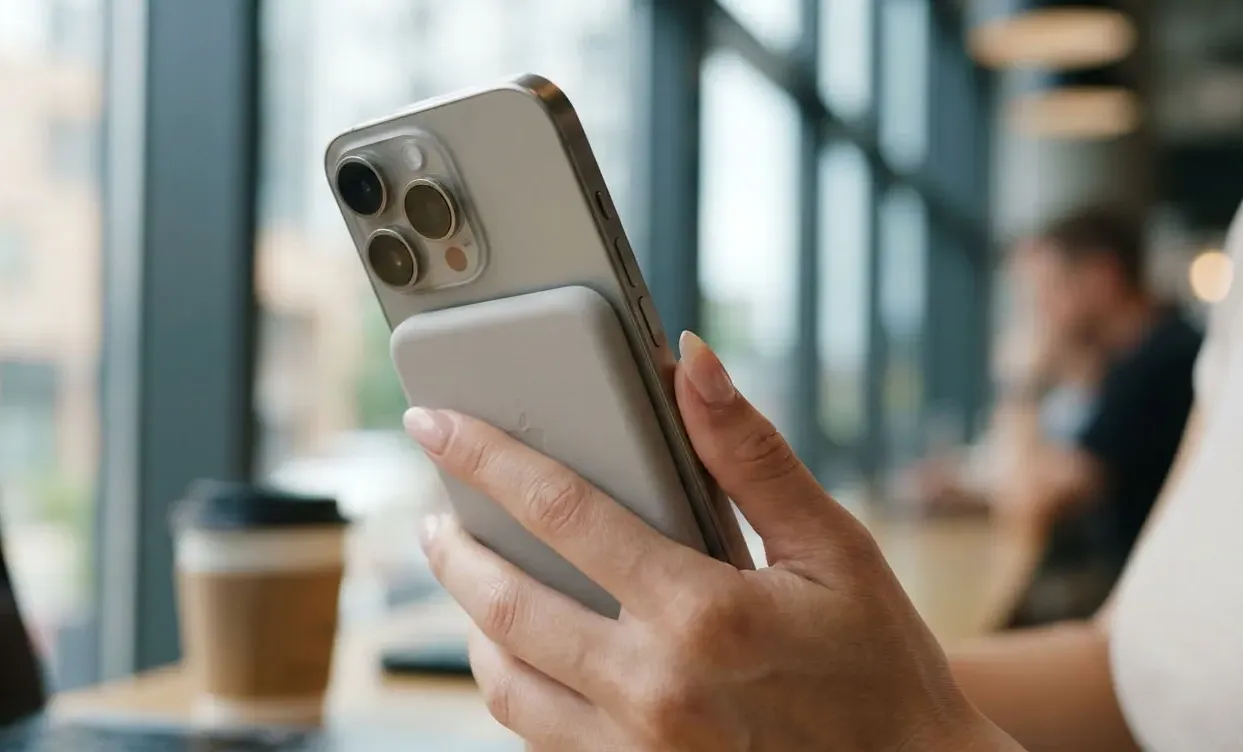
    A passenger boards with a perfectly ordinary 20,000 mAh power bank.

    Security accepts it.

    The airline allows it in the cabin.

    The passenger sits down, connects an iPhone and assumes everything is fine.

    Then the cabin crew tells them to disconnect it.

    Nothing is necessarily wrong with the battery.

    The rules have changed.

    In 2026, the important question is no longer simply:

    Can I bring a power bank on a plane?

    You now need to ask three separate questions:

    1. Can I carry it?
    2. Where must I store it?
    3. Can I actually use it during the flight?

    Those answers can be different.

    Rule number one: never put a power bank in checked luggage

    This is the easiest rule to remember.

    Power banks are treated as spare lithium batteries and belong in carry-on baggage, not checked luggage.

    IATA’s current passenger guidance says spare batteries and power banks must be carried in hand baggage and protected against short circuits.

    That means this is wrong:

    Large suitcase
    → power bank
    → checked at desk

    The correct setup is:

    Backpack / cabin bag
    → power bank
    → stays with passenger

    And there is another trap.

    If the airline takes your cabin bag at the gate and sends it to the hold, remove your power bank first.

    IATA specifically tells travellers to remove lithium batteries and devices when carry-on baggage is gate-checked.

    The number that matters is Wh, not mAh

    Most shoppers see:

    10,000 mAh
    20,000 mAh
    27,000 mAh

    Airlines care primarily about:

    Watt-hours — Wh

    IATA’s general framework is:

    Up to 100 Wh
    → generally allowed in carry-on
    
    100–160 Wh
    → airline approval may be required
    
    Over 160 Wh
    → generally not permitted on passenger aircraft

    This is why a giant power bank bought online can create trouble even though it looks like an ordinary consumer accessory.

    How to calculate Wh yourself

    Use:

    Wh = Ah × Voltage

    Because:

    1,000 mAh = 1 Ah

    A typical 20,000 mAh power bank using a nominal cell voltage around 3.7 V works out approximately as:

    20 Ah × 3.7 V = 74 Wh

    That normally falls below the 100 Wh threshold.

    A 27,000 mAh unit:

    27 Ah × 3.7 V = 99.9 Wh

    Now you can see why many large travel power banks are designed around roughly this capacity.

    But do not rely only on your own calculation.

    Check the rating printed on the device.

    Some airlines explicitly require the capacity information to be visible.

    Emirates, for example, currently requires its permitted power bank to have its capacity rating clearly marked.

    2026 changed the game

    ICAO introduced updated power-bank requirements in March 2026, and airlines and regulators have been implementing increasingly restrictive policies.

    Singapore’s aviation regulator introduced new restrictions from April 15, 2026, including a maximum of two power banks per passenger on flights departing Singapore and a prohibition on charging power banks onboard.

    The direction is clear:

    Carrying a power bank and using a power bank are becoming two different permissions.

    Emirates: you may carry it, but you may not use it

    Emirates provides one of the clearest examples.

    Its current policy allows a passenger to carry one power bank below 100 Wh, but:

    • it cannot be used to charge another device onboard;
    • it cannot itself be charged onboard;
    • it cannot be placed in an overhead locker;
    • it must remain under the seat, in the seat pocket or otherwise readily accessible;
    • it cannot be placed in checked baggage.

    So this is possible:

    Power bank in cabin: YES
    
    Power bank charging phone:
    NO

    That distinction catches travellers by surprise.

    Lufthansa is similarly strict

    Lufthansa currently states that power banks are not allowed in checked baggage and lists a maximum of two per passenger.

    It also states that charging or using power banks onboard is prohibited, except for certain approved medical-device applications.

    The airline instructs passengers not to store them in overhead lockers and instead keep them accessible under the seat, in a seat pocket, on the person or appropriately in hand baggage.

    Again:

    Being allowed to carry it does not mean being allowed to use it.

    Singapore Airlines: two power banks, but no onboard use

    Singapore Airlines currently permits up to two power banks per passenger.

    Its rules specify:

    Up to 100 Wh:
    Allowed without prior approval
    
    100–160 Wh:
    Approval required
    
    Above 160 Wh:
    Not allowed

    But it also prohibits using a power bank to charge personal devices during the flight and prohibits charging the power bank through the aircraft’s power supply.

    That is why copying one airline’s rules and applying them to another is increasingly risky.

    Why overhead lockers are becoming a problem

    A damaged lithium-ion battery can enter thermal runaway.

    If a power bank begins:

    • overheating;
    • swelling;
    • smoking;
    • producing an unusual smell;

    the crew needs to know quickly.

    A battery buried inside a backpack inside an overhead locker is harder to notice and access than one stored near the passenger.

    That is why several newer policies specifically address where the power bank sits during the flight, not merely whether it is onboard.

    The practical 2026 rule is:

    Keep it accessible.
    Do not bury it.
    Do not place it in checked luggage.

    The Fintayo pre-flight test

    Before leaving home, look at your power bank.

    You should be able to identify:

    Capacity:
    _____ Wh
    
    or
    
    Capacity:
    _____ mAh
    
    Rated voltage:
    _____ V

    If the label is worn away or impossible to read, I would not choose that unit for international travel.

    Even if the battery is technically within limits, airport or airline staff may not be willing to accept an unidentifiable lithium battery.

    A €25 replacement is cheaper than arguing at the gate.

    What about 10,000 mAh?

    For ordinary phone use, this is often the easiest travel size.

    A typical 10,000 mAh unit at 3.7 V is roughly:

    10 Ah × 3.7 V
    =
    37 Wh

    Well below 100 Wh.

    It is also:

    • lighter;
    • easier to keep accessible;
    • enough for roughly one or more smartphone recharges depending on device and conversion losses;
    • less likely to create capacity questions.

    For many travellers, buying a huge battery just because it exists creates unnecessary weight.

    20,000 mAh is the practical heavy-use sweet spot

    Illustrative calculation:

    20 Ah × 3.7 V
    =
    74 Wh

    That typically remains comfortably below 100 Wh.

    It makes sense for:

    • long travel days;
    • two phones;
    • tablet use;
    • photography;
    • multiple connections;
    • destinations where power access is unreliable.

    But remember:

    A larger battery does not help during a flight where the airline prohibits using it.

    In that scenario, pre-charging your phone before boarding becomes more important.

    A 27,000 mAh power bank deserves extra attention

    Illustrative calculation:

    27 Ah × 3.7 V
    =
    99.9 Wh

    That sits almost exactly on the common 100 Wh threshold.

    This is not a problem when the manufacturer’s official rating is compliant and clearly marked.

    But it leaves little margin for ambiguity.

    For simple travel, I would generally choose a clearly labelled unit comfortably below 100 Wh rather than trying to maximize every last watt-hour.

    Do not confuse USB output watts with battery Wh

    A power bank might advertise:

    65W
    100W
    140W

    That is usually charging power output.

    It is not the same as:

    100 Wh

    battery energy capacity.

    A 100W USB-C power bank can still contain less than 100 Wh of energy.

    The two measurements answer different questions.

    W = how fast power can be delivered
    
    Wh = how much energy the battery stores

    Airline limits focus primarily on battery energy capacity.

    Another mistake: power bank inside smart luggage

    Some suitcases include integrated charging batteries.

    IATA says a power bank installed in baggage generally needs to be removable so that it can be taken into the cabin if the bag is checked.

    A bag with a non-removable battery may be refused depending on its design and airline requirements.

    Before buying “smart luggage,” ask:

    Can the battery be removed in 10 seconds?

    If the answer is no, the clever feature may create a very inconvenient airport problem.

    AirTag is different

    An AirTag is not treated like a 20,000 mAh power bank.

    IATA’s current lithium-battery fact sheet notes a specific exception allowing small low-energy baggage tracking devices such as AirTags to remain active in checked baggage when they meet the applicable tiny-battery limits.

    That is why this can be permitted:

    AirTag inside checked suitcase

    while this is not:

    20,000 mAh power bank inside checked suitcase

    Different battery size.

    Different function.

    Different rule.

    The gate-check trap

    Imagine your cabin bag contains:

    Laptop
    Power bank
    Camera batteries
    Headphones

    The flight is full.

    At the gate you hear:

    “Your bag needs to go in the hold.”

    Do not simply hand it over.

    Remove the restricted lithium items first.

    IATA explicitly highlights this scenario in its traveller safety guidance.

    Keep a small pouch near the top of your cabin bag containing:

    Power bank
    Spare camera batteries
    Important electronics
    Passport
    Medication

    If the bag is gate-checked, the pouch comes out in seconds.

    The best 2026 packing position

    Our preferred arrangement:

    Small protective pouch
    ↓
    Inside personal item
    ↓
    Under seat
    ↓
    Easy to reach

    Not:

    Power bank
    ↓
    Bottom of trolley
    ↓
    Overhead locker
    ↓
    Behind six other bags

    Protect the terminals and prevent metal objects from creating a short circuit.

    IATA recommends original packaging, terminal protection or an appropriate protective case.

    Before every flight, check the airline

    This is the most important 2026 change.

    There is no longer one simple sentence that covers every airline.

    One airline may allow:

    2 × under 100 Wh

    Another:

    1 × under 100 Wh

    Another may permit carriage but prohibit use.

    Rules may also differ because of national aviation requirements.

    IATA explicitly tells passengers to check their airline because carrier and local restrictions can differ.

    Copy-and-paste Power Bank Travel Check

    AIRLINE:
    
    ROUTE:
    
    POWER BANK BRAND:
    
    MODEL:
    
    CAPACITY:
    _____ mAh
    
    RATED ENERGY:
    _____ Wh
    
    ================================
    
    [ ] Under 100 Wh
    [ ] Rating clearly visible
    [ ] Not damaged/swollen
    [ ] Carry-on only
    [ ] Terminals protected
    [ ] Airline quantity limit checked
    [ ] Onboard-use policy checked
    [ ] Overhead-storage rule checked
    
    ================================
    
    IF CABIN BAG IS GATE-CHECKED:
    
    [ ] Remove power bank
    [ ] Remove spare batteries
    [ ] Keep them in personal item

    The Fintayo takeaway

    The old advice was:

    Put your power bank in your carry-on.

    In 2026, that is no longer enough.

    The better rule is:

    Check the Wh rating, keep it in the cabin, keep it accessible and confirm whether your airline actually allows you to use it.

    The most important number on a travel power bank may not be 20,000 mAh.

    It is:

    Wh

    And the most expensive mistake may be discovering the airline’s battery policy after you arrive at the gate.
  • AirTag 2 vs Galaxy SmartTag2 for checked luggage: Which one actually wins?

    AirTag 2 vs Galaxy SmartTag2 for checked luggage: Which one actually wins?

    Your suitcase does not appear on the carousel.

    Everyone else leaves.

    The screen changes to another flight.

    At that point, a luggage tracker becomes much more useful than it looked when you bought it.

    It cannot physically bring the suitcase back. It cannot force an airline to deliver it faster. But it can answer one extremely useful question:

    Where is my bag right now?

    For travellers using an iPhone, the obvious choice is Apple’s AirTag. For Samsung Galaxy users, the closest equivalent is the Galaxy SmartTag2.

    But in 2026, the comparison changed.

    Apple introduced the second-generation AirTag in January with improved Precision Finding range, a louder speaker and expanded Bluetooth performance. More importantly for travellers, Apple’s Share Item Location system is now accepted by more than 50 airlines, allowing passengers to temporarily share the location of a missing bag directly with participating airline teams.

    Samsung’s SmartTag2 remains a strong tracker with UWB support on compatible Galaxy phones, IP67 protection, a replaceable battery and a claimed battery life of up to 500 days.

    So which one would we actually choose for checked luggage?

    The Fintayo test

    This is not presented as a laboratory or physical endurance test.

    We compared both products using their current official specifications and a repeatable travel scenario:

    1. Put the tracker inside a checked suitcase.
    2. Check whether the suitcase is still near you before departure.
    3. Follow its approximate movement through an airport.
    4. Simulate the bag failing to arrive.
    5. Try to locate it remotely.
    6. Evaluate how easily the location can be shared with someone who can actually recover the bag.
    7. Compare battery, durability, ecosystem restrictions and practical travel value.

    For luggage, the most important feature is not which tracker has the prettiest app.

    It is what happens after the bag disappears.

    Quick verdict

    CategoryAirTag 2Galaxy SmartTag2
    Nearby finding9.5/109/10
    Long-distance crowd finding9.5/108.5/10
    Airline recovery integration10/106/10
    Battery9/1010/10
    Water/dust resistance9/109/10
    Ease of setup10/109/10
    Platform flexibility5/105/10
    Checked-luggage usefulness9.4/108.3/10

    Fintayo winner for checked luggage: AirTag 2

    Not because Samsung’s tracker is poor.

    The decisive advantage is airline recovery integration.


    AirTag 2: what changed in 2026?

    The original AirTag already worked well for luggage because of Apple’s Find My network.

    The second-generation version improves the areas that matter when trying to locate something in a crowded environment.

    Apple says the 2026 AirTag uses its second-generation Ultra Wideband chip and can provide Precision Finding from up to 50% farther away than the previous generation. The internal speaker is also 50% louder and can be heard from up to twice the distance under Apple’s stated conditions.

    Its specifications include:

    • Bluetooth proximity finding
    • second-generation UWB
    • NFC
    • built-in speaker
    • replaceable CR2032 battery
    • IP67 water and dust resistance
    • weight of 11.8 g

    For ordinary luggage use, however, the upgraded speaker is not the most important improvement.

    Share Item Location is.

    The feature that changes the luggage comparison

    Imagine this situation:

    You: Barcelona
    Your suitcase: Frankfurt
    Airline system: Bag status unknown
    Tracker: Last seen at Frankfurt Airport

    Knowing that yourself is useful.

    Being able to give that location directly to an airline is far more useful.

    Apple’s Share Item Location allows an AirTag owner to generate a temporary location-sharing link for a missing item.

    Apple says more than 50 airlines now accept these links through their customer-service processes. The list includes airlines such as Lufthansa, Delta, Singapore Airlines and United, and Apple has previously named European carriers including Austrian, British Airways, KLM, Swiss, Turkish Airlines and Vueling among participating or planned participants.

    The shared link:

    • updates when a new location is detected
    • can be stopped by the owner
    • stops once the item is recovered
    • automatically expires after seven days

    This turns the tracker from a personal locating device into part of an actual baggage-recovery workflow.

    That is a substantial advantage.

    SmartTag2: excellent hardware, different ecosystem

    Samsung’s Galaxy SmartTag2 is slightly larger than an AirTag but remains compact enough to disappear inside almost any suitcase.

    Samsung lists:

    Dimensions: 28.8 × 52.44 × 8 mm
    Weight: 13.75 g
    Battery: replaceable CR2032
    Battery life: up to 500 days
    Bluetooth: BLE 5.3
    Bluetooth range: up to 120 m in open conditions
    Water/dust resistance: IP67
    UWB: supported

    The quoted 120-metre Bluetooth figure assumes favourable conditions without major obstacles, so it should not be interpreted as a guaranteed airport range.

    When the tracker is outside direct Bluetooth range, Samsung uses the Galaxy Find Network, relying on nearby participating Galaxy devices to detect the tag and update its location.

    The basic concept is therefore similar to AirTag:

    The tracker does not need its own mobile-data connection. Nearby devices help report where it is.

    For Samsung Galaxy owners, that works very well.

    Where SmartTag2 can actually beat AirTag

    Battery life is one of the clearest advantages.

    Samsung advertises up to 500 days of typical operation and even longer in Power Saving Mode, although actual battery life depends on usage and conditions.

    Both products use a user-replaceable CR2032 coin cell, which makes either far more practical than a rechargeable tracker that may be forgotten before a trip. Apple likewise supports user replacement of the AirTag battery.

    SmartTag2 also includes a physical loop in its design.

    That sounds trivial until you actually attach a tracker to:

    • a suitcase zipper
    • an internal luggage strap
    • a backpack
    • a key ring

    AirTag normally needs a separate holder or accessory when physically attached.

    For checked luggage we would still place either tracker inside the bag, rather than hanging it visibly from the outside.

    An external tracker can be damaged or removed.

    SmartTag2 Lost Mode is genuinely useful

    Samsung has another good recovery feature.

    When Lost Mode is enabled, someone who finds a SmartTag2 can tap it using an NFC-capable smartphone and view contact information or a message previously registered by the owner.

    Samsung states that this can work regardless of the finder’s phone operating system, provided the device can read NFC and has internet access.

    Example:

    This bag belongs to:
    John Smith
    
    Please call:
    +...
    
    Reward offered

    That is excellent for:

    • backpacks
    • keys
    • bags left in taxis
    • luggage collected by the wrong passenger

    But an airport baggage handler does not normally search suitcases by tapping their trackers with NFC.

    For airline mishandling, AirTag’s location-sharing workflow is more directly relevant.

    The airport scenario

    Consider the same delayed bag with each device.

    With AirTag 2

    1. Open Find My
    2. View last reported location
    3. Mark the item as lost if necessary
    4. Create Share Item Location link
    5. Give the link to a participating airline
    6. Airline staff can view the current reported location

    With SmartTag2

    1. Open SmartThings Find
    2. View last reported location
    3. Activate Lost Mode
    4. Give the airline your baggage claim details
    5. Explain where your tracker currently reports the bag

    Both give you useful information.

    Only the first workflow currently has a widely documented direct airline-sharing mechanism.

    That difference is why AirTag wins this comparison.

    Can you put these trackers in checked luggage?

    Yes, subject to the applicable battery limits and airline rules.

    IATA’s current lithium-battery guidance specifically states that AirTags and similar baggage tracking devices can remain active inside checked baggage when their battery falls within the permitted small-battery limits and the tracker uses low-energy Bluetooth.

    The FAA similarly states that baggage location tracking devices powered by small lithium batteries can be permitted in checked bags within its stated battery thresholds.

    This is very different from a power bank.

    A power bank is treated as a spare lithium battery and generally belongs in carry-on baggage, not inside checked luggage.

    So do not confuse:

    Small Bluetooth tracker ≠ power bank

    Always check the operating airline’s current baggage rules before travel.

    Do trackers show your suitcase in real time?

    No.

    This is one of the biggest misconceptions.

    An AirTag or SmartTag2 is not the same as a GPS tracker with a permanent cellular data connection.

    The displayed location is dependent on the tracker being detected by a compatible nearby device.

    That means the app may show:

    Last seen 2 minutes ago

    rather than a continuously moving dot.

    Inside a busy terminal there are usually many phones around.

    Inside:

    • an aircraft cargo hold
    • a remote baggage warehouse
    • a metal container
    • a quiet service area

    updates may become less frequent.

    The tracker tells you the last reported location.

    It does not give you an aircraft-radar feed.

    Which one is better inside the airport itself?

    When your suitcase is nearby but difficult to locate, both trackers offer close-range tools.

    AirTag 2 uses Precision Finding with compatible Apple hardware.

    SmartTag2 offers Search Nearby and Compass View on compatible UWB-enabled Galaxy phones. Samsung warns that accuracy can be reduced by walls, drawers, cars and other physical obstacles.

    For luggage arriving on an airport carousel, both are more than adequate.

    A more realistic use case is:

    App: suitcase is nearby
    Carousel: still empty

    That information can tell you that the bag has reached roughly the same airport even before it appears physically.

    But do not enter restricted baggage areas because your phone shows the tracker nearby.

    The location is information for you and airport staff—not permission to retrieve the bag yourself.

    What about network size?

    This is difficult to compare fairly.

    Apple uses the Find My network, a crowdsourced network of Apple devices that can detect nearby compatible items.

    Samsung uses its Galaxy Find Network, whose effectiveness depends on participating Galaxy users being close enough to the SmartTag2.

    Neither company gives you a useful guarantee such as:

    Your bag will be detected every 37 seconds at every European airport.

    Real-world performance depends on:

    • airport traffic
    • local device mix
    • where the suitcase is stored
    • physical obstructions
    • whether compatible phones pass nearby

    For that reason, we would not assign a precise percentage advantage to either network.

    However, the additional ability to share an AirTag’s location directly with participating airlines gives Apple a practical recovery advantage even after the location has been found.

    The platform-lock problem

    Here is the biggest reason not to choose based only on our overall score.

    Buy AirTag 2 if you use an iPhone

    The 2026 AirTag requires an Apple Account and compatible iPhone or iPad software.

    If your primary phone is Android, AirTag is not the logical choice simply because it wins this comparison.

    Buy SmartTag2 if you use Samsung Galaxy

    SmartTag2 is designed around Samsung’s SmartThings Find ecosystem.

    UWB-based Compass View requires a compatible Galaxy phone with UWB support.

    Other Android users

    A Pixel, Motorola or another non-Samsung Android owner should also consider trackers designed for Google’s Find Hub network rather than buying into Samsung’s ecosystem solely for luggage tracking.

    Google’s current Find Hub supports Bluetooth tracker tags and a crowdsourced network of Android devices, including compatible UWB tracking on supported phones and tags.

    The best tracker is usually the one that integrates properly with the phone already in your pocket.

    Where should you place the tracker?

    Our recommendation:

    Inside the suitcase
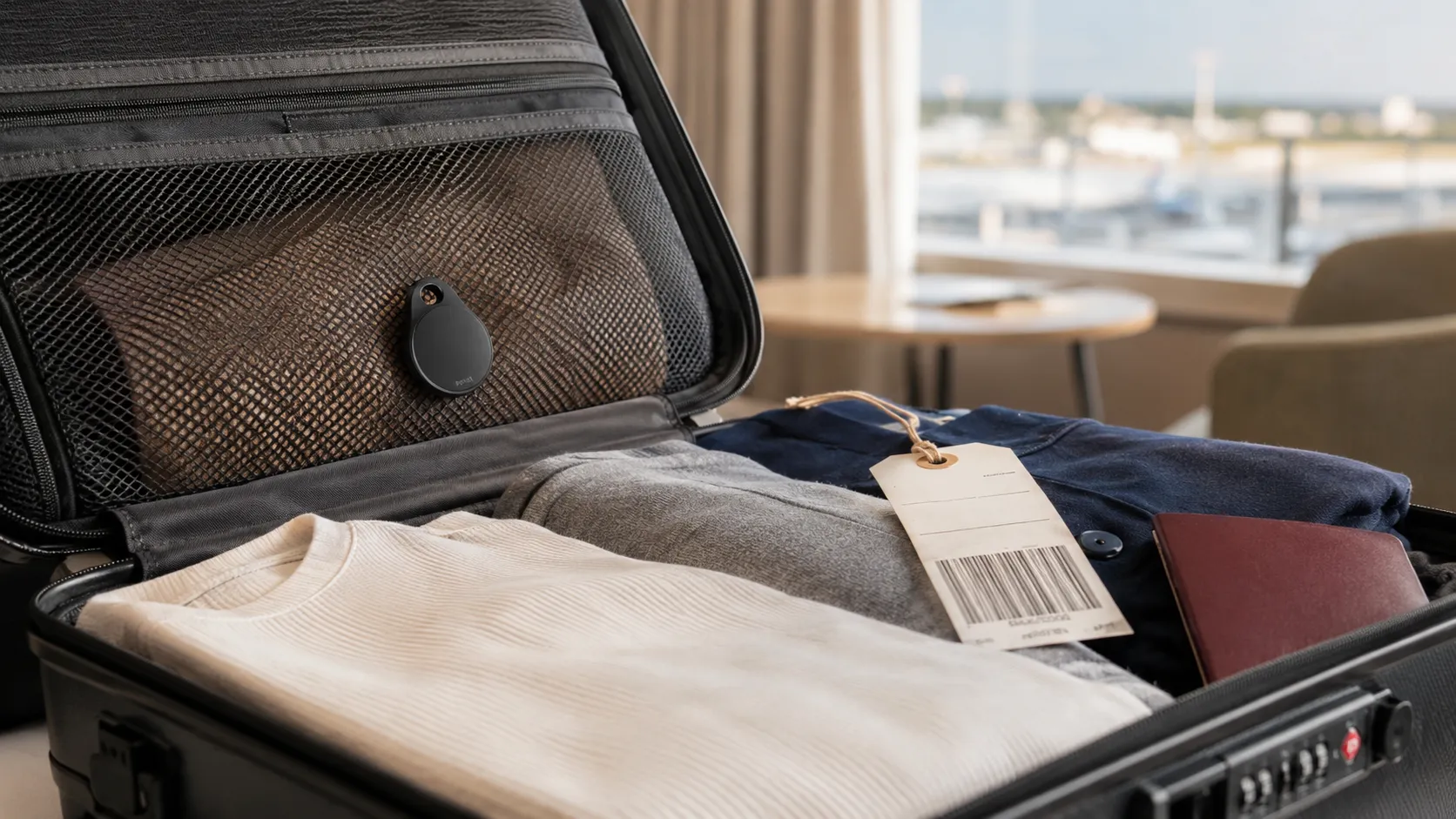
    Near the upper layer
    Inside a zipped mesh compartment
    Away from liquid toiletries

    Do not bury it inside:

    A metal container
    A toiletry tin
    Several layers of electronics
    A foil-lined pouch

    The tracker communicates wirelessly.

    There is no benefit in making that communication more difficult.

    An internal mesh pocket is ideal because the device stays hidden and secure without being surrounded by dense objects.

    One tracker per suitcase

    For families, do not place all trackers in one bag.

    Use:

    Bag 1 → Tracker 1
    Bag 2 → Tracker 2
    Bag 3 → Tracker 3

    Name them clearly:

    Branko – Black Suitcase
    Ana – Blue Suitcase
    Kids – Large Grey Suitcase

    The wrong naming system becomes surprisingly confusing when three bags stop updating at approximately the same airport.

    Replace the battery before an important trip

    A tracker is inexpensive compared with the value of a missing suitcase.

    Do not try to squeeze the final weeks out of an old coin-cell battery before a long trip.

    Before departure:

    Open tracker app
    Confirm tracker is online
    Check battery warning
    Play sound
    Verify correct tracker name
    Confirm Lost Mode details
    Update phone software

    AirTag alerts the owner when its battery becomes low.

    For a major international journey, replacing an aging CR2032 before departure is cheap insurance.

    Final score

    AirTag 2

    Finding technology:      9.5
    Airline integration:    10.0
    Battery practicality:    9.0
    Durability:              9.0
    Ease of use:            10.0
    Luggage recovery:        9.5
    
    Fintayo score:           9.4/10

    Galaxy SmartTag2

    Finding technology:      9.0
    Airline integration:     6.0
    Battery practicality:   10.0
    Durability:              9.0
    Ease of use:             9.0
    Luggage recovery:        8.0
    
    Fintayo score:           8.3/10

    The Fintayo takeaway

    If you own an iPhone and regularly check luggage, AirTag 2 is currently our preferred choice.

    The hardware improvements are useful, but the real reason is not the louder speaker or the longer Precision Finding range.

    It is this:

    Finding the suitcase is only half the problem. Getting the airline to recover it is the other half.

    Apple’s ability to share a temporary item-location link with more than 50 participating airlines closes that gap better than the competing workflow currently offered by SmartTag2.

    For Samsung Galaxy users, SmartTag2 remains a very good luggage tracker, particularly because of its long battery life, replaceable battery, UWB features and excellent Lost Mode.

    Our buying rule is simple:

    iPhone → AirTag 2
    Samsung Galaxy → SmartTag2
    Other Android → Find Hub-compatible tracker

    And regardless of which tracker you choose:

    Keep the baggage receipt.

    File the delayed-baggage report.

    Follow the airline’s official recovery procedure.

    Then use the tracker as additional evidence showing where your suitcase may actually be.

    A tracker is not a replacement for the airline’s baggage system.

    It is the second pair of eyes you wish you had when the carousel stops moving.